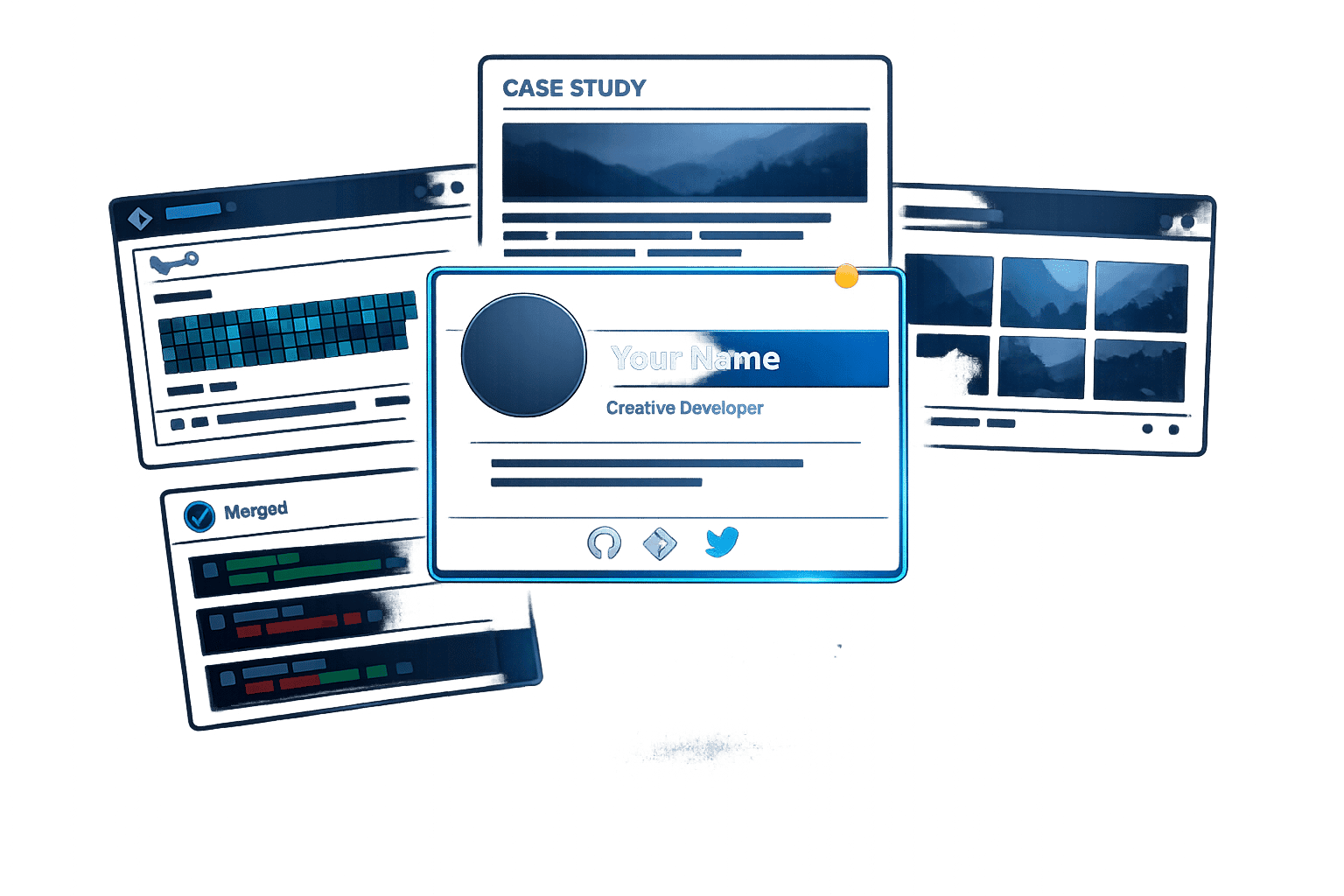
Polish GitHub and your portfolio, write project case studies, contribute to open source, and use developer platforms to attract recruiters.
Recruiters spend just 7 seconds scanning resumes, and static PDFs often fail to stand out. In 2026, a dynamic developer profile is essential to showcase your skills, projects, and contributions effectively. Here's how to build a profile that grabs attention:
- Optimize GitHub: Write a standout README, curate pinned repositories, and maintain an active contribution graph.
- Create a Portfolio Website: Include sections like About, Projects, Skills, and Contact. Use case studies to explain your work using a Problem-Solution-Result framework.
- Engage in Open Source: Start with beginner-friendly issues, highlight contributions, and document them.
- Share Knowledge: Write technical blogs, share insights, and participate in public speaking or mentoring.
- Leverage Platforms: Use GitHub, daily.dev, Stack Overflow, and LinkedIn to showcase your expertise and network effectively.
How to Optimize Your GitHub Profile
Your GitHub profile is often the first impression you make on a recruiter. It’s where they gauge your technical expertise and engagement in the developer community. From your profile photo to your contribution graph, every detail matters. A polished and active profile can showcase your skills and professionalism in just a few seconds.
Write a Profile README That Stands Out
Think of your profile README as your personal billboard. Skip the generic badges and focus on delivering a clear, concise value proposition. For example, saying "I build fast, accessible web apps for fintech products" communicates your expertise and focus much better than a vague list of technologies.
After your opening statement, organize your tech stack into categories like Languages, Frontend, Backend, and DevOps. This makes it easier for recruiters to see your skills at a glance. Adding sections like "Currently Building" or "Currently Exploring" can show that you’re actively learning and working on projects beyond your regular job. If you’re open to remote roles, include your timezone to signal your availability to potential employers.
Finally, highlight your best work by carefully selecting and arranging your pinned repositories.
Choose and Polish Your Pinned Repositories
Your pinned repositories are like your portfolio - choose three to four projects that showcase different strengths. For example:
- A production-ready project that demonstrates your ability to ship polished, functional code.
- A project that highlights your problem-solving skills and initiative.
- A collaborative project where you’ve contributed through pull requests or issue discussions.
Order these repositories strategically, placing the most impressive one first. Each repository should include a well-written README with:
- A clear project description.
- Screenshots or demo GIFs for visual context.
- Installation instructions.
- A live deployed link, if applicable.
Also, be specific about your individual contributions. For example: "Developed the authentication system, reducing login latency by 40%."
"A repo with a clean README that explains why the project exists - what problem it solved, what constraints made it hard, what you'd do differently - is worth ten repos with TODO: write readme." - ShowProof Team
Avoid cluttering your profile with irrelevant or incomplete repositories. Remove forked projects you haven’t contributed to, tutorial follow-alongs, and anything with broken links or placeholder READMEs.
Keep Your Contribution Graph Active
Your contribution graph is another key element recruiters look at. A steady pattern of activity - rather than sporadic bursts followed by silence - shows reliability and consistency.
To enhance your graph, enable private contributions so work from your day job is reflected without exposing sensitive code. Remember, contributions aren’t just about commits. Activities like filing bug reports, improving documentation, and reviewing pull requests also count. Even small tasks, like fixing a typo in a README, can keep your graph active and demonstrate your ongoing engagement.
A vibrant and consistent contribution graph not only reflects your coding routine but also highlights your collaborative and dependable work ethic.
How to Build a Portfolio Website That Gets Attention
Your GitHub profile highlights what you've created, but your portfolio website showcases who you are and how you think. Research shows that 73% of hiring managers review a candidate's portfolio before the first interview - and they spend an average of just 7.4 seconds on the initial screen. That means your portfolio needs to make an impact almost immediately. Here's how to create one that stands out.
What Pages and Sections to Include
A developer portfolio doesn't have to be overly complicated - it just needs to be clear and professional. The key elements every portfolio should include are:
- About Section: Share your story, not just a list of tools or buzzwords. Explain what drives you and how you approach your work.
- Projects Section: Showcase 3–5 deployed projects that are carefully curated to highlight your skills.
- Skills Section: Organize your technical skills by categories like Frontend, Backend, or DevOps for clarity.
- Contact Section: Provide a simple way for people to reach you, such as a form or a professional email link.
Avoid using proficiency bars - they often lack credibility. Instead, group your skills logically to give a more accurate picture of your expertise. Also, remember that 34% of recruiters first view portfolios on mobile devices. A responsive design isn't optional; it's essential. A portfolio that doesn't work well on mobile can raise red flags about your attention to detail and production habits.
Once your structure is in place, focus on turning your projects into engaging case studies.
Write Project Descriptions as Case Studies
Skip the bullet points of features and focus on storytelling. Use the Problem-Solution-Result framework to explain each project. Recruiters care about more than just what your app does - they want to understand the challenges you faced, the decisions you made, and the results you achieved.
For each project, describe:
- The Problem: What issue or need did the project address?
- The Solution: What technical decisions did you make, and why? For instance, explain why you chose WebSockets over polling for real-time functionality.
- The Result: What measurable outcomes did your work produce?
Be specific about your role. Instead of saying "built a platform", detail your contributions, like "designed and implemented the real-time inventory sync service." To make your case studies even more engaging, add a short GIF or video walkthrough. A 2-minute video explaining your thought process can also highlight your communication skills.
Lastly, keep your tech stack concise. Limit each project to 3–5 key technologies to emphasize your core contributions without overwhelming the viewer.
Tools and Frameworks to Build Your Portfolio
Once your projects are structured and narrated, it's time to build the portfolio itself. For a custom, polished site, Next.js with TypeScript and Tailwind CSS is a popular choice. It's fast, SEO-friendly, and deploys seamlessly to platforms like Vercel. If you'd like to explore alternatives, Astro and SvelteKit are excellent options, especially if you want to demonstrate skills beyond the React ecosystem.
If building from scratch feels overwhelming, hosted solutions like GitHub Pages or Netlify are great for static sites and cost nothing. Whichever route you choose, invest in a custom domain (like .dev or .com) for around $10–$15 per year. It's a small investment that leaves a big impression.
Finally, aim for a Lighthouse performance score above 95. A slow-loading portfolio can frustrate users and raise doubts about your technical abilities. A fast, polished site shows you care about both user experience and quality.
How to Show Your Activity and Community Involvement
A polished GitHub profile and portfolio are essential, but they’re just part of the story. Regular activity and active involvement in the developer community can showcase your expertise in ways a resume simply can’t. Whether it’s contributing to open source, writing technical content, or speaking at events, these efforts add depth to your professional profile.
How to Start Contributing to Open Source
Contributing to open source projects is a fantastic way to prove your ability to collaborate on shared codebases, follow established guidelines, and work within a team. These are skills that go beyond solo projects, and recruiters are quick to notice them.
A great way to begin is by tackling issues labeled as good first issue or help wanted on GitHub. Popular projects like React, Next.js, and TypeScript offer active communities and detailed contribution guides to help you get started. Even small contributions, like fixing documentation or updating tests, matter - they show up in your commit history and highlight your collaborative efforts.
Be sure to highlight your significant open source contributions in your profile. These demonstrate your ability to work with others and solve real-world problems, making you stand out.
Once you’ve established a rhythm with open source, consider sharing your journey through writing - it’s a powerful way to amplify your visibility.
Write and Share What You Know
Did you know only about 15% of developers actively blog? This means that consistent, well-crafted posts can help you stand out in a small but highly visible group. Focus on creating content that’s experience-driven and insightful. Just two or three high-quality posts each month can have a bigger impact than churning out superficial updates. Plus, as readers and recruiters become more discerning, authenticity in your writing matters more than ever.
The best posts often address challenges you’ve recently tackled. Think about writing for your past self - what would have helped you a month or a year ago? For example, one developer landed a role at a YC-backed startup after writing 24 technical posts in 8 months. These posts covered real-world issues like debugging memory leaks and transitioning from REST to GraphQL. The CTO found the developer through a Google search for a specific WebSocket reconnection issue, even before the formal application process began.
"I found your blog post about debugging WebSocket reconnection in production. That's exactly the kind of problem we deal with daily. I knew you could do the job before we even talked." - YC Startup Interviewer
When writing, structure your posts with a clear flow: Problem, Investigation, Solution, and Lessons. Hosting content on your own domain can improve your SEO presence, while cross-posting on platforms like Medium or Dev.to can help you reach a broader audience.
Beyond writing, public speaking and mentoring are excellent ways to showcase your ability to communicate and teach technical concepts.
Add Public Speaking and Community Roles to Your Profile
Speaking at conferences, meetups, or online events demonstrates your ability to break down complex topics for an audience. Be sure to document your talks by including the title, event, date, and links to slides or recordings. A dedicated "Talks" section on your portfolio website can make your expertise immediately visible.
Similarly, roles like mentoring, organizing hackathons, or moderating online communities highlight your leadership and communication skills. These activities show initiative and a willingness to share knowledge - qualities that hiring managers value just as much as technical skills. If you’ve taken on these roles, make sure they’re proudly displayed in your profile. They might just be the edge you need to stand out.
Which Developer Platforms to Use and How
Your GitHub profile and portfolio site are the bedrock of your professional presence, but the platforms you engage with daily play a huge role in shaping how the developer community sees you. Picking the right ones - and using them with purpose - can help you reach a wider audience.
Build Your Presence on daily.dev
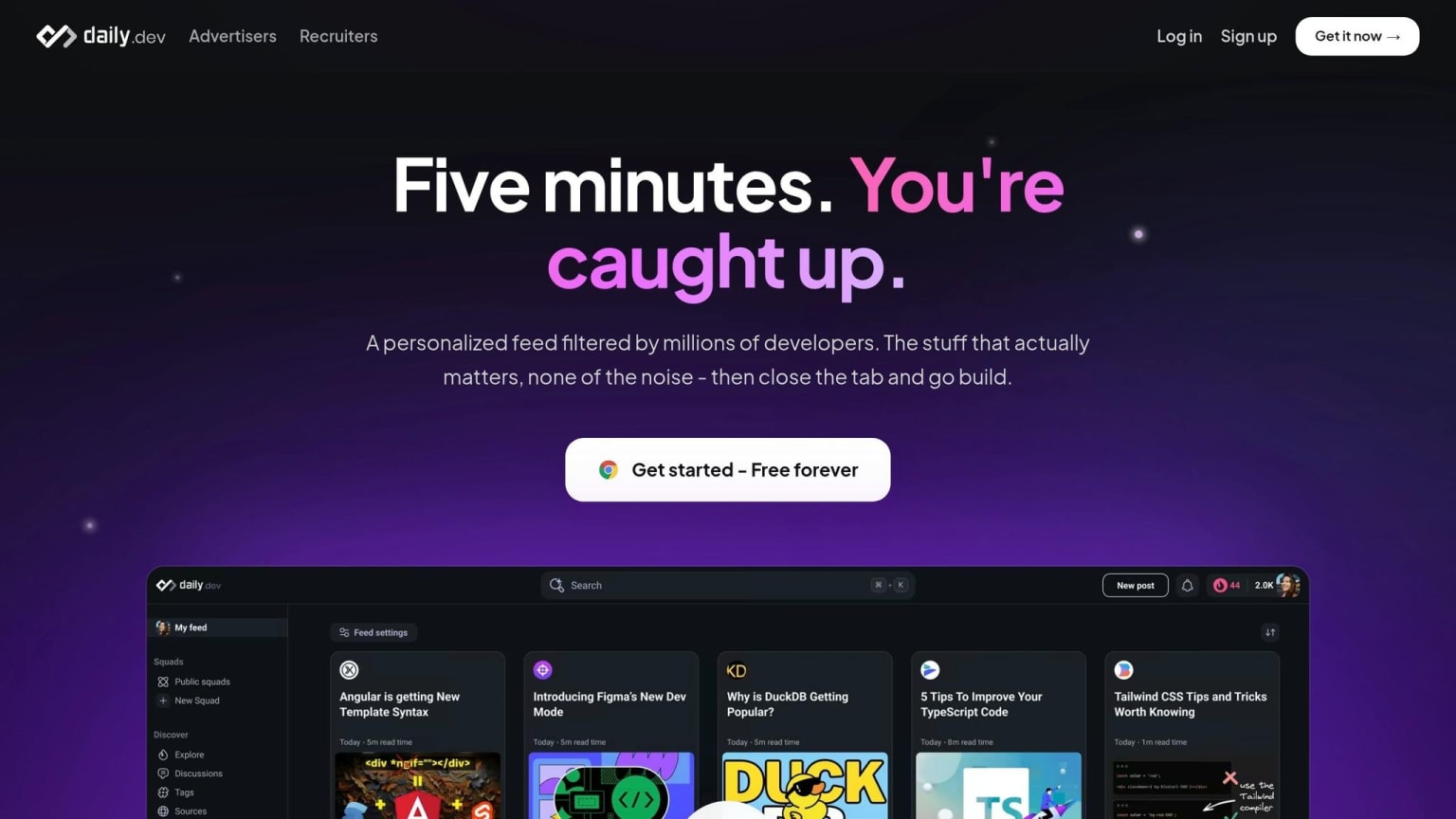
daily.dev isn’t just a news feed; it’s a platform where you can highlight your interests and insights as a developer. Tools like DevCards provide a shareable snapshot of your activity and interests, while Squads allow you to join targeted technical discussions, putting your expertise in front of the right people.
Take advantage of daily.dev's Career Mode to explore job opportunities aligned with your skills. The platform ensures your career details are shared with employers only when you explicitly approve it , offering privacy controls that most job boards don’t.
To make the most of daily.dev, treat your profile like a technical portfolio. Be specific and results-oriented - phrases like "Reduced query response times by 60% through optimization" are far more impactful than generic job titles. If you’ve contributed to open-source projects, clarify your role (e.g., creator, maintainer, or contributor), and include repository links along with metrics like GitHub stars . These details demonstrate your impact in a concrete way.
In addition, showcasing your knowledge on Q&A platforms can further enhance your technical credibility.
Use Your Stack Overflow Reputation
Your Stack Overflow profile serves as a public testament to your technical skills. A history of strong answers in specific tags - like react, postgresql, or kubernetes - shows recruiters exactly where your expertise lies, without you needing to spell it out.
Make sure to link your Stack Overflow profile on your portfolio, GitHub README, and LinkedIn. Developers with an active presence on platforms like Stack Overflow see 40% more recruiter outreach compared to those who rely solely on LinkedIn .
To round out your digital presence, optimize your LinkedIn profile to act as your professional storefront.
Set Up LinkedIn as a Developer
Recruiters spend an average of 7.4 seconds on an initial candidate screen , so your LinkedIn headline and "About" section need to grab attention quickly. Create a headline that instantly conveys your expertise, such as "Backend Engineer | Scaling APIs with Go & Kubernetes." Use measurable achievements to describe your experience - details like "Led microservices migration using Node.js, reducing system latency by 60%" are much more compelling than vague descriptions.
When listing skills, focus on 5 to 7 core competencies backed by real project experience. Avoid overwhelming recruiters with a long list of tools . If you’re aiming for remote roles, include your timezone availability in your bio to make it easier for recruiters to filter candidates based on team compatibility .
"If a developer can explain a technical concept clearly in writing, they can probably explain it clearly in a code review. That's half the job." - FAANG Hiring Manager
Think of LinkedIn as your professional storefront where recruiters discover you, and your portfolio website as the deeper dive into your technical capabilities . Both play distinct but complementary roles in building your developer brand.
Profile Mistakes That Hurt Your Credibility
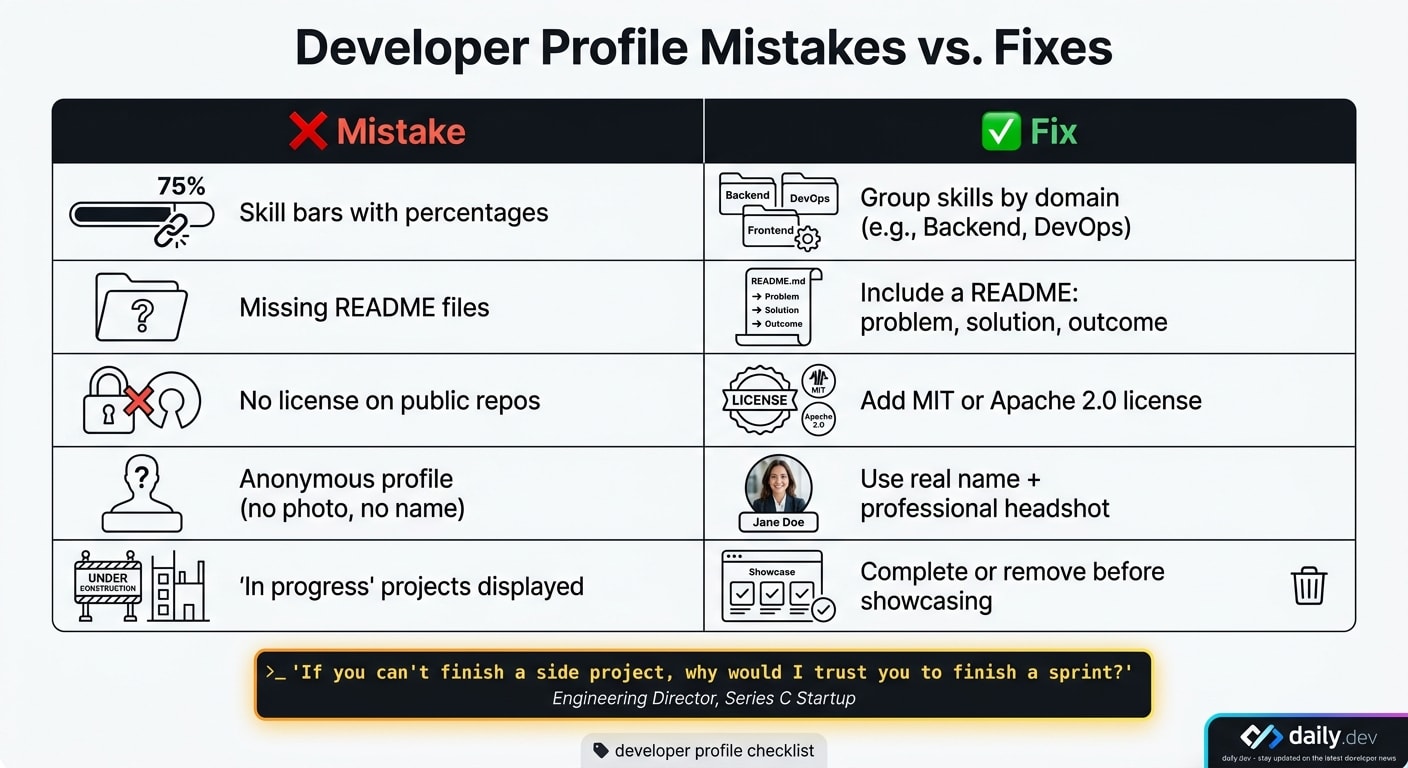
Even with a solid technical background, your profile can send the wrong signals if it's not polished. The good news? Most of these missteps are easy to fix once you know what to focus on.
Outdated projects and cookie-cutter tutorials can make it seem like you're not actively improving or solving meaningful problems. Recruiters see the same generic projects over and over. Instead, aim to showcase work that tackles a real-world issue, no matter how small. This approach reinforces the actionable strategies discussed earlier, ensuring your profile highlights your expertise effectively.
An Engineering Director at a Series C startup summed it up perfectly:
"If you can't finish a side project, why would I trust you to finish a sprint?"
Broken links are another red flag. They suggest carelessness and undermine your credibility. Regularly check all links on your profile, and if a hosted demo is no longer available, either fix it or remove the link entirely.
Consistency is key. Inconsistent details across platforms can create confusion. For example, if your LinkedIn lists you as a senior backend engineer but your GitHub only features basic frontend tutorials, recruiters might question your expertise. Make sure your job titles, tech stack, and areas of specialization align across all profiles. Use a professional photo, consistent keywords, and cross-link your accounts to present a unified narrative about your skills and experience.
Here are some additional profile pitfalls to avoid:
| Mistake | Why It Hurts | Solution |
|---|---|---|
| Skill bars with percentages | They seem arbitrary and lack professionalism | Group skills by domain (e.g., Backend, DevOps) instead |
| Missing README files | Signals poor documentation habits | Include a README explaining the problem, solution, and outcome |
| No license on public repos | Companies might hesitate to use or explore your code | Add an MIT or Apache 2.0 license to your repositories |
| Anonymous profile (no photo, no name) | Feels untrustworthy and lacks authenticity | Use your real name and a clear, professional headshot |
| "In progress" projects | Suggests unreliability or lack of follow-through | Complete or remove these projects before showcasing them |
Conclusion: Turning Your Developer Profile into Opportunities
Your developer profile has the potential to work tirelessly in your favor, provided you take the right steps. As mentioned earlier, a polished portfolio not only grabs attention but also actively pulls in opportunities by increasing recruiter engagement and interview requests .
For example, a well-documented open-source project that inspires a blog post can lead to more GitHub stars and enhance your LinkedIn visibility. This ripple effect might even result in unsolicited job offers or invitations to speak at conferences . The key to keeping this momentum lies in consistency. Regular contributions over the span of a year demonstrate reliability far better than a sudden flurry of activity before a job hunt . And let’s not forget - a strong, visible profile can increase your earning potential by as much as 50% .
By applying the strategies outlined in this guide - from refining your GitHub README to showcasing your involvement in the developer community - you create a foundation for ongoing career growth. These steps, such as curating pinned repositories, building a portfolio website, writing project case studies, engaging on platforms like daily.dev, and maintaining consistency across your digital presence, all combine to form a cohesive and compelling profile. This makes it easier for potential employers, collaborators, and recruiters to find you, trust your work, and reach out.
Start small: update a README, write a quick post about a recent project, or refresh your pinned repositories. Incremental improvements can transform a profile from unnoticed to in-demand.
"A portfolio is a living document, not a monument." - popout.page
FAQs
What should I pin on GitHub if I don’t have big projects yet?
If you don’t have any large projects to showcase, focus on smaller, well-organized work that demonstrates your technical abilities. Highlight recent updates, a side project you’re particularly proud of, or meaningful open-source contributions like pull requests. Make sure each pinned repository includes a detailed README that explains the problem, your solution, and the tools or technologies you used. Clear and thorough documentation often speaks louder than an incomplete or poorly maintained project.
How do I keep my contribution graph active without 'spam' commits?
To keep your GitHub contribution graph active without spamming, prioritize quality over quantity. Set a goal of making 3–4 meaningful contributions each week. These could include tasks like refining documentation, addressing bugs, or advancing your personal projects. Even smaller efforts, like correcting typos or submitting thorough bug reports, can make a difference. Also, make sure to enable the visibility of private repositories in your GitHub settings so that your professional work is included in your activity log.
What’s the fastest way to turn a project into a strong case study?
To craft an impactful case study in no time, follow a problem-solution-result approach:
- Problem: Clearly outline what issue existed or what was lacking.
- Solution: Describe how you addressed the problem, highlighting the tools, technology, and design choices involved.
- Result: Share quantifiable outcomes, such as percentage gains or time saved.
To make your case study even more engaging, include a live project link and visuals like screenshots or videos. These additions not only grab attention but also effectively demonstrate the real-world impact of your work.