Modern tooling — from AI coding assistants to containers, CI/CD, testing, and observability — separates productive teams from the rest.
In 2026, developers rely on a variety of tools to streamline workflows, boost productivity, and improve collaboration. With AI integration and remote teams becoming the norm, the right tools can make all the difference. Here's a quick rundown of 15 must-have tools for modern programming:
- Visual Studio Code: A powerful code editor with 80,000+ extensions and built-in AI tools like GitHub Copilot.
- JetBrains IDEs: Feature-rich IDEs offering intelligent code refactoring and deep project understanding.
- Git and GitHub: The backbone of version control and collaboration, with 420M+ repositories hosted.
- Docker: Simplifies containerization, ensuring consistent environments across development and production.
- Kubernetes Tooling: Tools like
kubectl, Helm, and Lens for managing container clusters effectively. - daily.dev: A curated developer network for personalized, up-to-date tech content.
- GitHub Copilot: An AI-powered coding assistant for faster development and task automation.
- Task Runners & Build Tools: Tools like Task, npm scripts, and Gradle for efficient build processes.
- CI/CD Platforms: Automate testing and deployments with GitHub Actions, GitLab CI, or CircleCI.
- Grafana & Prometheus: Monitor production health with real-time metrics and dashboards.
- OpenAPI & Postman: Define, document, and test APIs with streamlined workflows.
- Testcontainers: Integration testing with real dependencies using lightweight containers.
- Snyk & Semgrep: Identify and fix security vulnerabilities in code and dependencies.
- Collaboration Tools: Features like daily.dev Squads, code reviews, and internal wikis to improve team efficiency.
- Dev Containers & Codespaces: Standardize development environments with containerized setups.
These tools address challenges like debugging, deployment, security, and team collaboration. Whether you're coding solo or part of a large distributed team, these solutions help you work smarter and deliver better results.
1. Visual Studio Code
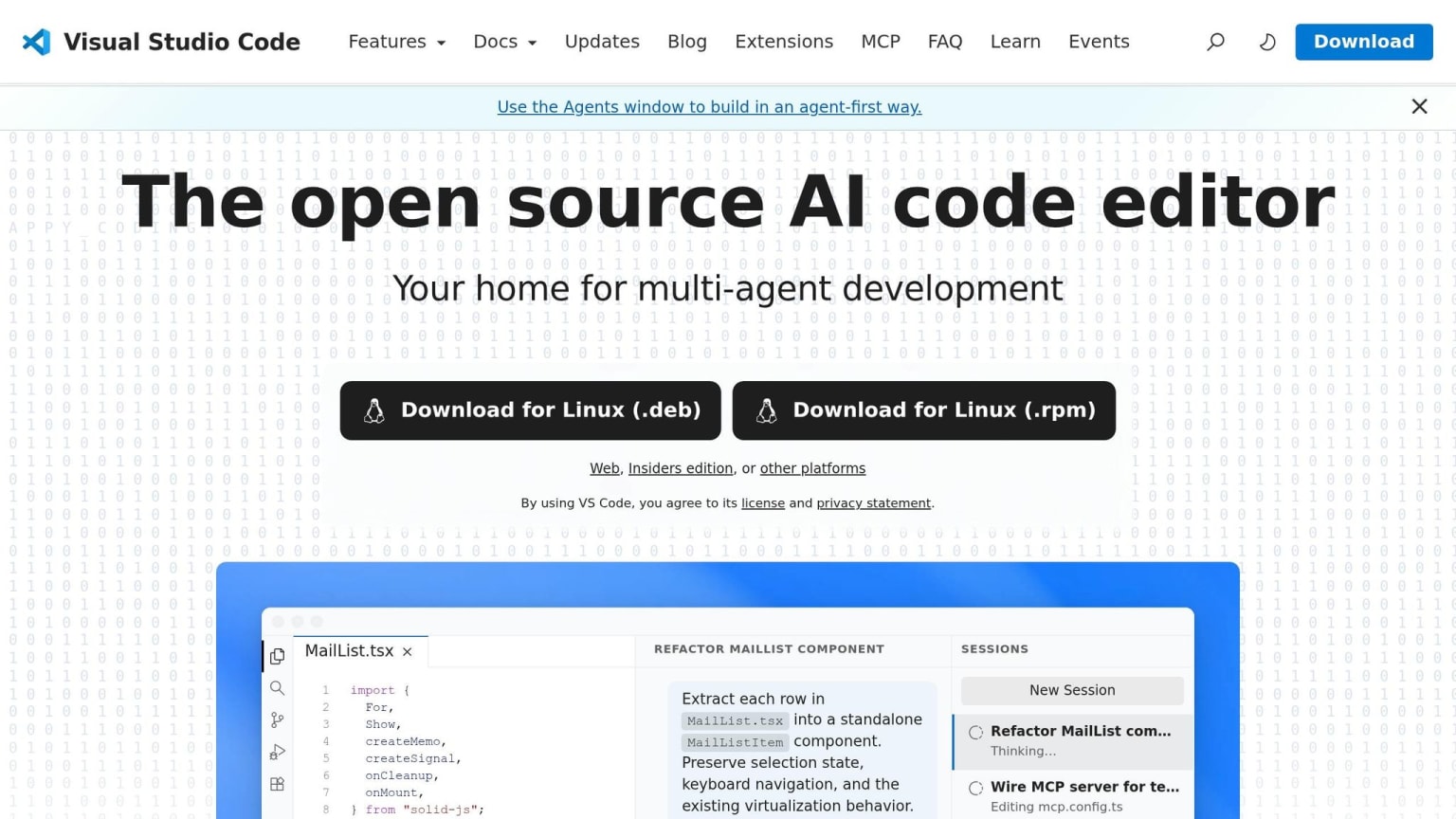
Visual Studio Code (VS Code) has grown from a straightforward text editor into a full-fledged development powerhouse. As aicoolies aptly stated, "VS Code has won... in the way a standard wins by becoming the default assumption." With over 185,000 stars on GitHub and a marketplace boasting more than 80,000 extensions, it offers tools for nearly every programming language and workflow. This thriving ecosystem has paved the way for a deeper focus on AI-driven development.
VS Code now integrates advanced AI tools to enhance its already robust functionality. One standout is GitHub Copilot, which is embedded directly into the editor for all users. This tool takes code suggestions far beyond basic autocomplete. With features like Agent Mode, it can autonomously handle complex tasks such as planning multi-file edits, running terminal commands, and even verifying UI changes through an integrated browser. The numbers speak for themselves - GitHub Copilot has been installed over 73.5 million times on the VS Code Marketplace alone , cementing its role as a key part of developers' daily routines.
The Remote Development extension pack is another game-changer. It allows seamless connections to remote machines via SSH and supports Dev Containers, which define complete development environments using devcontainer.json. These tools drastically cut down onboarding time, transforming what used to take hours into a matter of minutes . Tech journalist Anurag Singh praised this feature, saying, "VS Code's SSH feature is exceptionally impressive."
That said, VS Code isn't perfect. Its Electron-based architecture tends to use more memory and CPU than lighter editors. However, for many developers, the trade-off is worth it. The extensive ecosystem and integrated AI features more than make up for the higher resource demands. As aicoolies summed it up, "VS Code in 2026 is not the most innovative editor, and it is not the fastest. But it is the most complete."
2. JetBrains IDEs
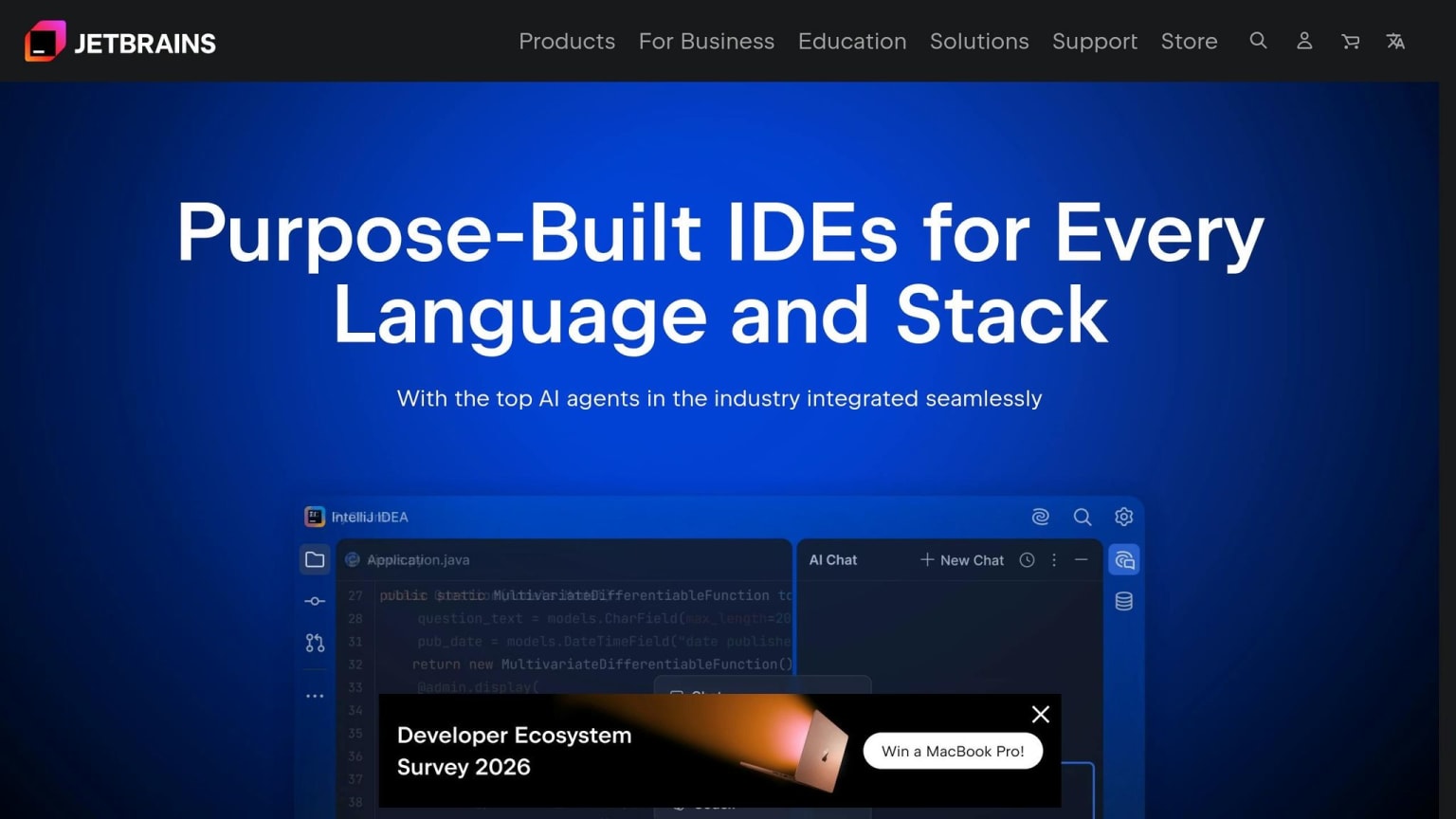
JetBrains IDEs, like IntelliJ IDEA, PyCharm, WebStorm, and Rider, set themselves apart by deeply understanding your code. Instead of relying on language servers, these tools build a full semantic model of every project element. This approach enables powerful refactoring capabilities that handle complex scenarios, such as tracking usages in XML configurations, string references, and annotations - areas where lighter editors often fall short . This depth gives JetBrains tools an edge over general-purpose editors, enabling advanced features that developers rely on.
The numbers speak for themselves. 78% of Java developers prefer IntelliJ IDEA as their go-to IDE . On average, IntelliJ users log 85.7 hours of coding time per user, nearly triple the 30.6 hours seen among VS Code users . Globally, over 12 million developers actively use JetBrains tools .
"IntelliJ IDEA is undoubtedly the top-choice IDE for software developers." - Mary Grygleski, Java Champion
JetBrains has also embraced AI-assisted development in a big way. With the introduction of the Agent Client Protocol (ACP), users can integrate AI agents like GitHub Copilot, Codex, and Claude directly into the IDE chat without leaving their workspace . Features like Next Edit Suggestions (NES) allow cascading file changes without affecting AI subscription quotas . Meanwhile, Git Worktrees enable simultaneous development and AI task delegation, reducing the need for constant context switching .
For team collaboration, JetBrains offers JetBrains Central, which provides visibility into AI usage costs and ensures auditability across projects . The Bring Your Own Key (BYOK) model allows teams to connect their own OpenAI or Anthropic API keys, sidestepping mandatory subscription plans . Pricing starts at $599/year for IntelliJ IDEA Ultimate for individuals, dropping to $359/year from the third year onward. Community editions of IntelliJ IDEA and PyCharm remain free .
The trade-off? Resource consumption. IntelliJ IDEA Ultimate defaults to a 2,048 MiB heap, but larger projects often require increasing it to 4,096 MiB . For professional work, 32 GB of RAM is a practical baseline. While the resource demands are higher, for teams handling complex enterprise codebases or microservices, the benefits are well worth it.
3. Git and GitHub
Git and GitHub are essential tools in modern development workflows. Git acts as a version control system, capturing every change as a commit, which serves as a restore point you can revisit at any time. GitHub complements Git by providing a cloud-based platform for repositories, along with features like Pull Requests, issue tracking, and integrated CI/CD through GitHub Actions. Together, they enable seamless collaboration and help ensure code quality and efficiency.
The adoption statistics tell the story. As of 2026, 93.87% of version control usage is attributed to Git, and 94% of professional developers consider it a fundamental skill. GitHub hosts over 420 million repositories, serves a global user base of 100 million, and handles 40 million daily GitHub Actions jobs, supported by more than 25,000 actions in the GitHub Marketplace.
"Git is not a backup tool. It is a collaboration protocol - a shared language for how code changes move through a team, get reviewed, and become production software." - Precision AI Academy
To maintain high-quality code reviews, keep Pull Requests under 400 lines. Adding a .github/pull_request_template.md file ensures contributors provide necessary details, such as context, testing steps, and a checklist, before requesting reviews.
Recent updates, like those in Git 2.52, bring notable performance boosts. For instance, the git last-modified command retrieves file modification dates up to 30 times faster than traditional log queries in large monorepos. Additionally, the reftable backend addresses filesystem race conditions, improving reliability. For teams working with massive codebases, features like Sparse Checkout and Partial Clones can cut clone times and disk usage by over 90% by downloading only the directories you need. To avoid overwriting teammates' work, use the git push --force-with-lease command.
4. Docker
Containerization has become a cornerstone of modern development, much like code editors and version control systems. Docker addresses the infamous "works on my machine" issue by bundling applications with their runtime, libraries, and configurations into portable containers. These containers ensure consistent performance, whether you’re running them on your laptop, in CI/CD pipelines, or in production environments.
Without containerization, teams can waste up to 23% of their development time troubleshooting environment-related issues. Docker slashes onboarding time from three days to just about 45 minutes . Unlike virtual machines, which require a full guest operating system and consume gigabytes of RAM just to boot, containers share the host OS kernel and start in milliseconds.
"Containers are not mini-VMs. They are isolated processes." - Animesh Mukherjee
To get the most out of Docker, optimizing configurations is key. For example, swapping node:20 (around 1.1 GB) for node:20-alpine (approximately 180 MB) can shrink image sizes by over 80%. A multi-stage build can also dramatically reduce the size of a Next.js application image - from about 800 MB to just 120 MB . Additionally, leveraging optimized layer caching can save up to 35 minutes of build time each day . Follow these best practices for better results:
- Use a
.dockerignorefile to exclude unnecessary directories likenode_modules,.git, and local environment files. - Pin image versions (e.g.,
node:20.11.1-alpine3.19) instead of relying on:latestto ensure consistency. - Set a non-root
USERin your Dockerfile to minimize security risks.
For managing multi-service setups, Docker integrates seamlessly with tools like Docker Compose and Kompose. Docker Compose lets you define an entire environment - such as an application with PostgreSQL and Redis - in a single YAML file. With one command, you can launch everything. On macOS, Docker Compose Watch can sync file changes and trigger rebuilds automatically, improving development speed. When it’s time to deploy to production, Kompose can convert Compose files into Kubernetes manifests for easier orchestration.
Resource allocation also plays a big role in container performance, particularly for more complex setups. Docker Desktop’s default settings (2 CPUs and 2–4 GB of RAM) may not be enough for full-stack applications. Increasing memory to 8–12 GB can help prevent bottlenecks .
5. Kubernetes Tooling (kubectl, Helm, Lens)
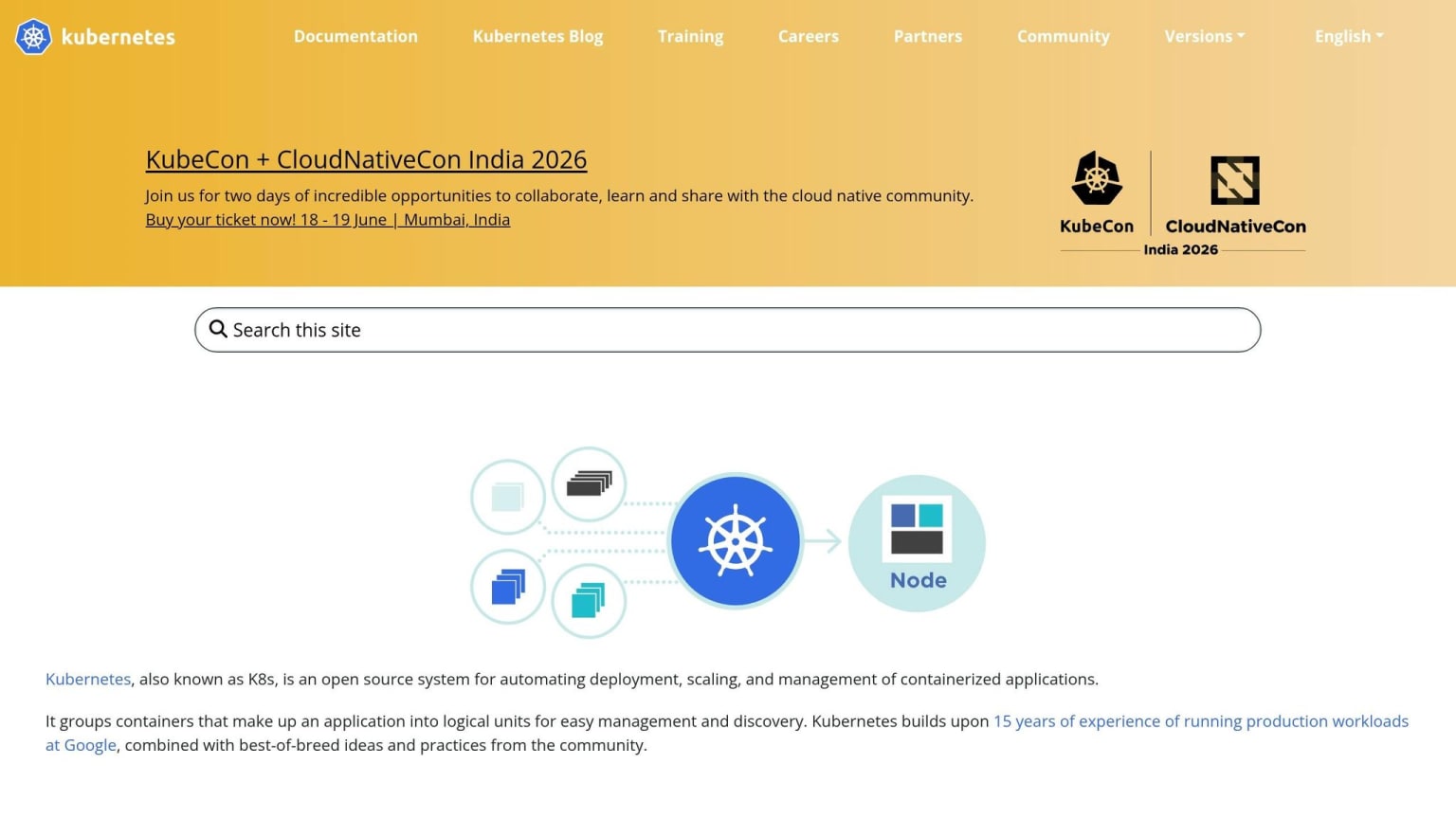
Once your applications are containerized, the next step is orchestrating them at scale with Kubernetes. Three key tools make this process smoother: kubectl, Helm, and Lens.
kubectl serves as the backbone of Kubernetes operations. It's the essential command-line tool that every other Kubernetes utility builds upon. As Flavius Dinu explains:
"Kubectl is the primary command-line tool for communicating with a Kubernetes cluster... Every tool in this list builds on top of kubectl one way or the other."
For production environments, it's best to use declarative commands like kubectl apply with version-controlled YAML files. This ensures changes are both auditable and reproducible. To enhance its capabilities, you can use Krew, a plugin manager for kubectl, which provides access to over 100 community-developed tools. Popular plugins include kubectx for switching contexts, kubens for navigating namespaces, and stern for viewing logs across multiple pods . To save time, consider setting up a shortcut like alias k='kubectl'.
Helm simplifies the deployment of applications that require multiple Kubernetes resources. Instead of managing numerous YAML files individually, you can bundle them into a reusable Helm Chart and deploy everything with a single command. As of May 2026, the stable release is Helm v4 (v4.2.0 was released on May 14, 2026), while Helm v3 has shifted to security-only updates and will reach its end-of-life on November 11, 2026 . A smart approach is to keep environment-specific configurations in a separate values.yaml file. This makes it easy to deploy the same chart across different environments like development, staging, and production without hardcoding settings into templates.
Lens provides a user-friendly graphical interface for Kubernetes clusters. It automatically detects kubeconfig files, offers real-time dashboards for monitoring pod health, logs, and resource usage, and allows seamless switching between clusters . The 2026 version introduces Lens Prism, an AI-powered assistant that suggests solutions for common cluster issues . Bhanu Teja aptly describes the tool's value:
"Using raw kubectl for daily cluster work is like editing code in notepad. You can. You just shouldn't."
These three tools complement each other perfectly. Use Helm for deploying applications, kubectl for scripting and automation in CI/CD pipelines, and Lens for debugging and monitoring. To avoid mistakes, assign distinct color-coded headers to your cluster contexts - such as red for production and yellow for staging - so you can quickly identify the environment you're working in . This combination of tools ensures a smoother workflow for deployment, management, and monitoring as you advance in Kubernetes development.
6. daily.dev Developer Network
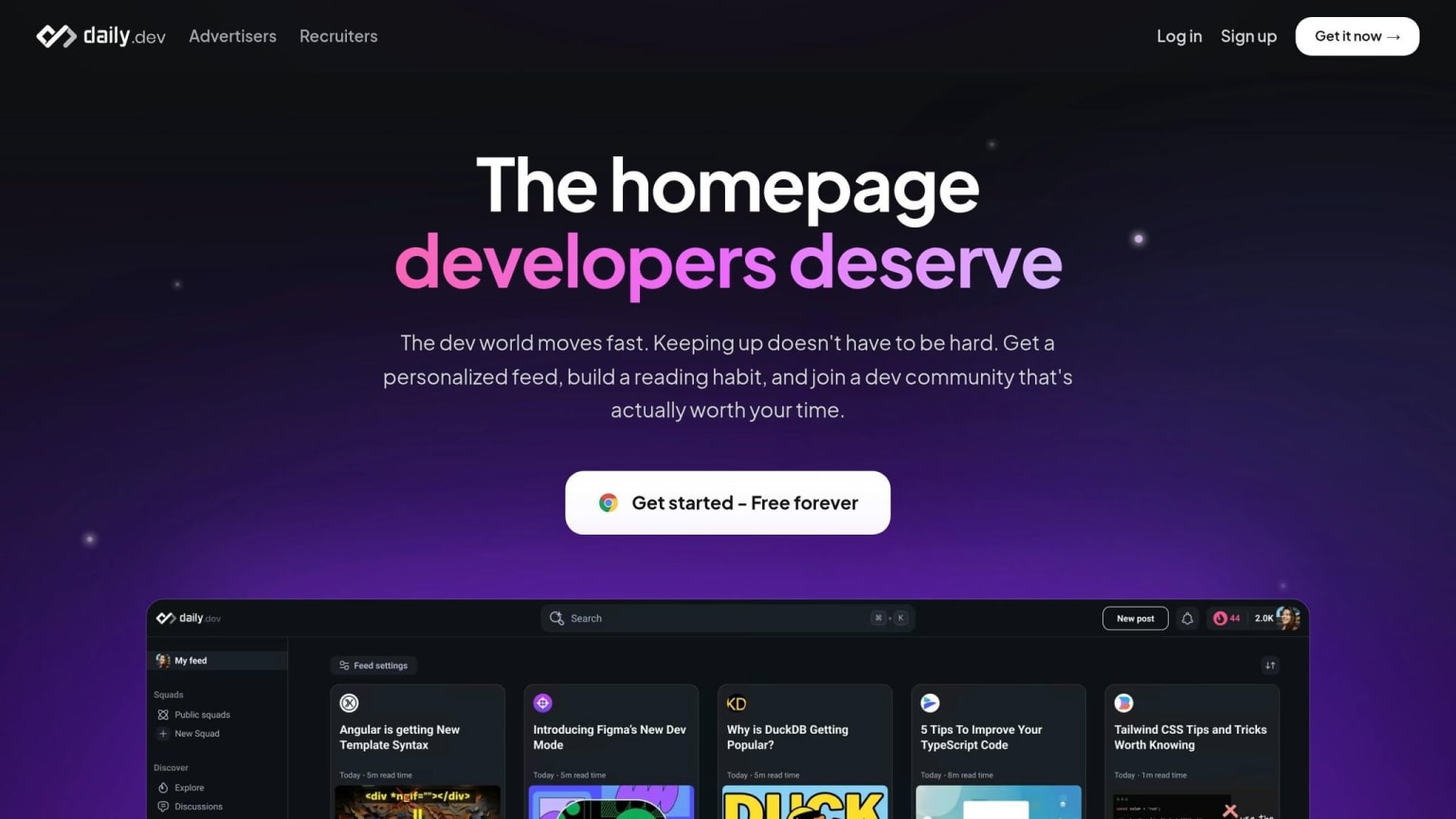
daily.dev is designed to enrich your development workflow with curated, up-to-date content. With the fast-paced nature of software development in 2026, staying informed can feel overwhelming. daily.dev simplifies this by pulling content from over 2,000 trusted sources into a single, AI-personalized feed tailored to your tech stack . Trusted by more than 1,000,000 developers worldwide , it’s not just a news aggregator - it’s a professional network built specifically for programmers. This tool doesn’t just keep you informed; it integrates seamlessly into your workflow, enhancing both efficiency and continuity.
One standout feature is how it replaces your browser's "New Tab" page. Instead of a blank screen, every new tab greets you with relevant articles, keeping you engaged and informed between coding sessions . According to daily.dev:
"Think of it as a feed curated by a senior engineer who shares your exact interests."
daily.dev goes beyond content aggregation by using community-driven signals, such as upvotes and discussions, to highlight quality posts while filtering out irrelevant noise. The platform also offers "Squads", which are focused groups where developers can collaborate on specific topics like React, DevOps, or AI/ML. For teams, private Squads provide a centralized space for sharing knowledge, eliminating the need to sift through scattered Slack threads.
For those seeking deeper insights, daily.dev Plus introduces the Presidential Briefing. This AI-powered feature analyzes over 100 posts daily, summarizing the most critical updates . Additionally, the Clickbait Shield detects and replaces misleading headlines, ensuring you focus on content that truly matters.
| Feature | Free | daily.dev Plus |
|---|---|---|
| Personalized Feed | ✓ | ✓ |
| Squads (Public/Private) | ✓ | ✓ |
| DevCard Identity | ✓ | ✓ |
| Presidential Briefing (AI Agent) | ✗ | ✓ |
| Clickbait Shield | ✗ | ✓ |
| Smart Titles | ✗ | ✓ |
daily.dev is open-source and privacy-focused, meaning it doesn’t track your browsing history or sell your data. It’s available as a Chrome and Edge extension, a web app, and a Progressive Web App (PWA) for iOS and Android. Wherever you work, your Squads, bookmarks, and reading lists stay synced .
7. GitHub Copilot
GitHub Copilot has evolved far beyond basic code suggestions. By 2026, it functions as an autonomous coding assistant rather than just an autocomplete tool. The transformation is striking: instead of merely finishing your lines of code, Copilot Workspace can now handle tasks like refactoring entire modules, migrating services (e.g., from REST to gRPC), and even drafting full pull requests from a Jira ticket or a plain-English prompt. For instance, one team managed to complete a complex API migration from REST to gRPC - a task typically taking two days - in just 12 minutes .
These advancements bring clear productivity boosts. Teams using the Workspace tier reported shipping 58% more features compared to those using the older version of Copilot. The average pull request (PR) size jumped by 275%, from 120 lines to 450 lines . However, this increase in output comes with trade-offs: review time per PR rose by 60%, and bugs per PR saw a 50% uptick . This highlights the need for human oversight in managing the higher volume of generated code.
"You are no longer paid to type syntax. You are paid to verify logic." - Jesse Hopkins, Developer
Copilot seamlessly integrates with popular tools like VS Code, JetBrains IDEs, Vim/Neovim, Xcode, and even offers a command-line interface (CLI). The CLI adds another layer of utility with commands like /plan, /review, and /fleet, enabling users to outline tasks, audit code, and launch parallel sub-agents for independent work . Ari LiVigni, Senior Service Delivery Engineer at GitHub, emphasizes:
"Copilot CLI is most useful when you treat it like a tool for momentum, not a replacement for judgment."
To make the most of Copilot, it's a good idea to use the /plan command before generating code. This helps produce cleaner diffs and simplifies the review process. Additionally, if AI generates more than 50% of a diff, running your local integration tests manually is a smart move. High-volume AI-generated code can make it easy to miss subtle issues, such as race conditions .
Copilot is available in Free, Pro, Pro+, Business, and Enterprise tiers. However, the autonomous Workspace features require a paid plan, which saw a 40% price-per-seat increase over the older tiers in early 2026 .
8. Task Runners and Build Tools (Task, npm scripts, Make, Gradle)
Even the most advanced development workflows depend on task runners to streamline build processes, testing, linting, and deployment. These tools act as a central hub, ensuring every team member can execute the same commands consistently, regardless of their operating system or local setup. Here's a closer look at some popular options and their strengths.
Your choice of tool often depends on the tech stack you're working with. For JavaScript projects, npm scripts are a simple and effective option. Defined directly in the package.json file, they don’t require additional installations and can access node_modules binaries without extra configuration. They’re perfect for small to medium-sized projects, but as pipelines grow more complex, managing them can become tricky. Full-stack developer Alex Chen points out:
"Most developers only use
npm startandnpm test. Here's what you're missing."
For cross-platform compatibility, replace bash-specific commands (like rm -rf) with packages such as rimraf or shx.
In more traditional setups, Make has long been a go-to tool, particularly in C/C++ projects. Its pattern rules and automatic dependency tracking make it a powerful option for compilation tasks. However, its strict TAB-indentation requirements and limited support on Windows can be frustrating for modern teams. Enter Task (also known as go-task), which addresses many of these challenges. Written in Go, Task is a single binary that runs seamlessly on Linux, macOS, and Windows. It uses a straightforward YAML syntax, supports .env files natively, and requires no additional setup. Task has gained significant traction, boasting over 15,600 stars on GitHub , with its most recent version (3.51.1) released on May 16, 2026 .
"For pure C/C++ compilation where Make's pattern rules and auto-dependency tracking shine, Make still has advantages. For everything else - deployment scripts, test runners, multi-language projects - Task's readability wins." - Nawaz Dhandala, Author, OneUptime
When it comes to large, multi-package repositories (monorepos), neither Make nor Task scales particularly well. Tools like Gradle and its Node.js-inspired counterpart, Nadle, step in to handle these complex setups. Both leverage Directed Acyclic Graph (DAG) scheduling to manage dependencies, execute tasks in parallel, and avoid redundant work through input fingerprinting. Nadle, designed specifically for modern environments, requires Node.js 22+ and supports ESM-only modules . If your project has outgrown a flat package.json structure, these tools can help you manage complexity more effectively.
| Tool | Best For | Cross-Platform | Key Strength |
|---|---|---|---|
| Make | C/C++ compilation | Unix-native | Pattern rules; pre-installed on Unix |
| Task | Multi-language, CI/CD | Linux, macOS, Windows | YAML syntax; smart caching; single binary |
| npm scripts | Small Node.js projects | Requires Node.js | Zero setup; direct access to node_modules binaries |
| Gradle / Nadle | Complex monorepos | Cross-platform via runtime | DAG scheduling; incremental builds |
If your CI configuration is overloaded with complex shell logic, consider moving it into a Taskfile.yml or a similar configuration file. This approach keeps pipelines more readable, simplifies local testing, and provides a clear starting point for new team members. Tools like task --list or npm run offer quick overviews of available commands, making onboarding smoother for everyone.
9. CI/CD Platforms (GitHub Actions, GitLab CI, CircleCI)
Once you've optimized builds and tests, CI/CD platforms take things further by automating deployments. By 2026, a staggering 99% of organizations are expected to use CI/CD pipelines . These pipelines can increase deployment frequency by 208 times and reduce incident recovery times by 106 times . Let’s dive into the three top platforms driving modern CI/CD workflows.
GitHub Actions, GitLab CI, and CircleCI
Each platform caters to different needs. GitHub Actions is the go-to option for projects hosted on GitHub, with over 90 million repositories already leveraging its automation capabilities . Its marketplace offers more than 20,000 pre-built actions , covering everything from Slack integration to Terraform deployments. Teams moving to GitHub Actions have reported a 35–50% boost in deployment frequency . As one developer noted:
"GitHub Actions won the defaults war. If you're starting a new project today and your code lives on GitHub, Actions is the path of least resistance." - ZNY, Developer
GitLab CI, on the other hand, is ideal for teams seeking an all-in-one DevOps solution. It includes features like built-in SAST/DAST security scanning, a container registry, and "Auto DevOps", making it especially appealing for industries with strict regulations or teams requiring self-hosting.
For those prioritizing speed, CircleCI is a strong contender. Its Docker Layer Caching (DLC) can slash image build times by 50% to 90% on cache hits , making it a favorite for Docker-heavy pipelines.
Here’s a breakdown of these platforms:
| Platform | Best For | Free Tier | Key Strength |
|---|---|---|---|
| GitHub Actions | GitHub-native teams | 2,000 min/month (private); unlimited for public repos | Extensive ecosystem; 20,000+ marketplace actions |
| GitLab CI | Full DevSecOps; self-hosting | 400 min/month | Built-in security scanning; all-in-one platform |
| CircleCI | Speed-critical, Docker-heavy builds | ~6,000 min/month | Advanced Docker Layer Caching; fast builds |
Tips for Optimizing CI/CD Pipelines
- Pin Third-Party Actions: Always pin actions to a specific commit SHA rather than using mutable tags like "v3" to avoid potential supply chain risks.
- Use OIDC Authentication: Replace static AWS or GCP keys with OIDC for short-lived credentials, adding an extra layer of security.
- Streamline Long Pipelines: If a pipeline takes more than 10 minutes, consider parallelizing tests or using path-based triggers to skip unnecessary jobs, such as those for documentation-only changes .
These strategies can help ensure your CI/CD pipelines are not only efficient but also secure and scalable.
10. Grafana and Prometheus for Observability
After your CI/CD pipelines are reliably delivering code, the next challenge is ensuring that code performs well in production. This is where Grafana and Prometheus step in. Prometheus collects time-series data from /metrics endpoints, while Grafana visualizes this data through dashboards and alerts, making it easier to monitor and act on production health . Together, they provide a solid framework for production monitoring.
These tools have become staples in cloud-native and Kubernetes environments due to their reliability and extensive community support. Prometheus, boasting over 64,000 stars on GitHub, is a graduated project under the Cloud Native Computing Foundation (CNCF) . Grafana, with over 74,000 stars, complements Prometheus by turning raw data into actionable insights . Both are widely trusted, free to self-host, and have proven their effectiveness in countless scenarios.
"Prometheus and Grafana have become the standard open-source monitoring stack for good reason: Prometheus is a battle-tested time-series database... and Grafana turns that data into dashboards and alerts that actually help you find problems." - InstaDevOps
Structuring Dashboards: RED Method and Golden Signals
To design effective dashboards, the RED Method is a go-to strategy for request-driven services. Focus on these three metrics:
- Rate: Requests per second
- Errors: Failed requests per second
- Duration: Latency of requests
For infrastructure monitoring, the Four Golden Signals - Latency, Traffic, Errors, and Saturation - offer a broader view of system health .
Best Practices for Prometheus and Grafana
- Avoid high-cardinality labels: Labels like
user_idorrequest_idcan generate millions of time series, potentially crashing your Prometheus instance due to memory overload . - Use
rate()for Counter metrics: Graphing raw counters results in an unhelpful upward slope. Wrapping them inrate()ensures meaningful data visualization . - Prevent alert fatigue: Add
forclauses to alerting rules (e.g.,for: 5m) so alerts only trigger for persistent issues, not short-lived spikes .
Cost and Scaling Options
A self-hosted Grafana and Prometheus setup typically costs around $15–$20/month on a 2 vCPU, 4GB RAM server - far cheaper than most commercial solutions . Grafana Cloud's free tier includes 10,000 Prometheus metrics, 50GB of logs, and 50GB of traces . For extended metric retention, consider Grafana Mimir, which introduced a new query engine in its 3.0 release, reducing memory usage by up to 92% .
These tools not only keep your production environment healthy but also provide a cost-effective, scalable solution for observability.
11. OpenAPI/Swagger and Postman for API Design
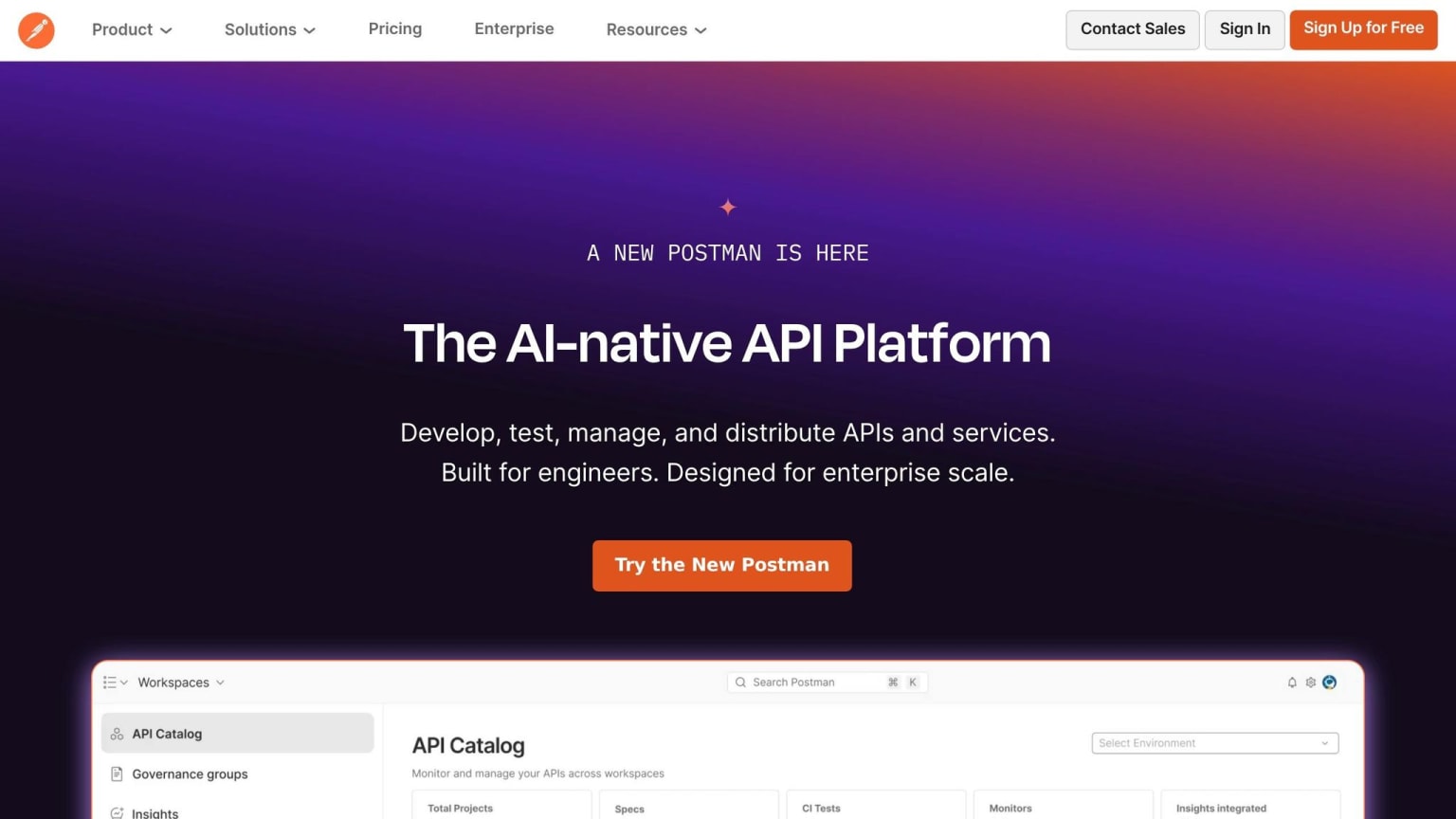
Before your APIs hit production, it's crucial to ensure they're thoughtfully designed and thoroughly tested. That’s where OpenAPI/Swagger and Postman come into play - they work hand-in-hand to streamline the process. Together, they create a structured workflow that simplifies integration and testing.
Here’s the main idea: OpenAPI defines the API contract, while Postman validates its behavior. Guillaume Girard, Software Engineer at Edana, explains it perfectly:
"Swagger defines what the API should be, Postman verifies how it actually behaves, thus ensuring a transparent and reliable API lifecycle."
This contract-first approach pays off. Teams that draft their OpenAPI specification before coding report shipping endpoints 30% faster. With 82% of organizations identifying as API-first and 93% of developers still building REST APIs in 2026, OpenAPI has become the standard for API contracts .
Start by authoring the OpenAPI 3.1 YAML in your repository. Use pull requests for reviews, then import the spec into Postman to auto-generate collections. Postman’s Newman CLI can run these collections as automated functional and regression tests within your CI/CD pipeline. Tools like Spectral can lint your spec during CI to catch issues like broken references or inconsistent naming, while platforms like Fern or Speakeasy generate client libraries directly from the spec, ensuring alignment between your contract and the code .
Postman has also evolved significantly. By 2026, Postman v12 supports not just API testing but also protocols like HTTP, GraphQL, gRPC, WebSockets, MQTT, and the Model Context Protocol (MCP). Its new Agent Mode leverages AI to generate test collections from specifications, debug requests, and explain unexpected errors like 403s . Additionally, Postman now offers Git-native workspaces, allowing teams to manage collections within the same branch as their code - a small but impactful improvement for Git workflows .
OpenAPI specs are also becoming essential for AI agents like Claude or Cursor, enabling them to interact with your API autonomously. As Japish Thind, Backend Developer at withRemote, puts it:
"The OpenAPI spec is the contract, and that contract has to serve humans, codegen tools, and AI agents at the same time."
However, a poorly written spec can lead to security vulnerabilities. Postman helps teams of all sizes by offering flexible pricing. The Team plan costs $19 per user per month and includes shared workspaces, an API Catalog for live API portfolio visibility, and Git sync . For individual developers, the Free tier covers basic needs, while the Solo plan at $9 per month unlocks advanced AI and automation features .
12. Testcontainers for Integration Testing
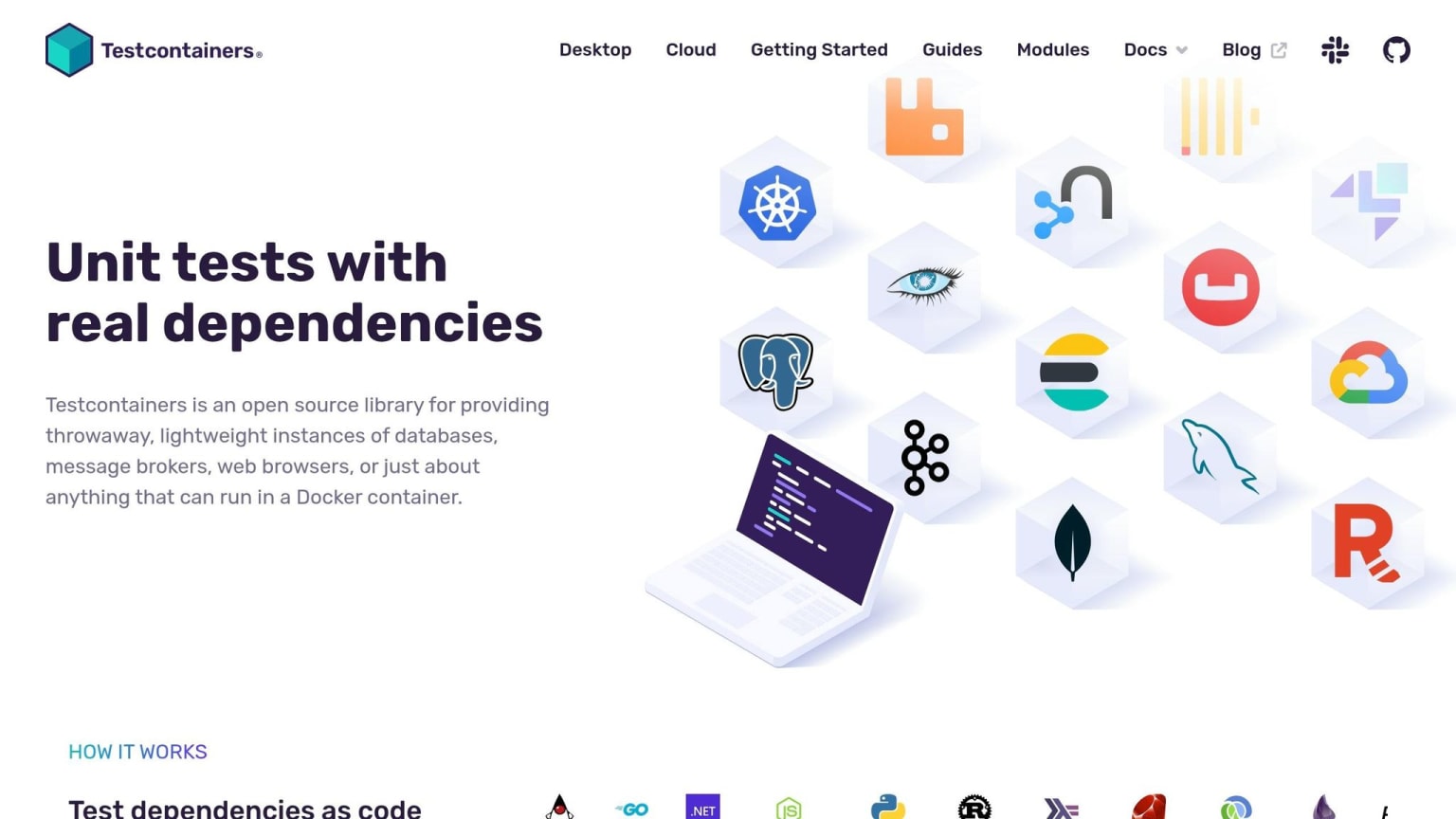
Mocks can be handy, but they often fall short when it comes to reflecting real-world conditions. For instance, your tests might pass locally using an H2 in-memory database but fail in production with PostgreSQL. Why? H2 might not support a specific JSON function or SQL syntax used by PostgreSQL. This issue, known as "mock drift", can lead to unexpected headaches. Testcontainers solves this problem by letting you test against the actual services your application uses in production, all within lightweight Docker containers.
"Using Testcontainers, you can write tests that depend on the same services you use in production without mocks or in-memory services." - Docker Docs
The library simplifies the entire process by managing container lifecycles automatically. It starts the container, ensures the service is ready using built-in wait strategies (like detecting specific log messages or using HTTP pings), runs your tests, and cleans up afterward - even if the test process crashes - using a sidecar container called Ryuk. To avoid hardcoding port numbers and potential conflicts during parallel testing, you can dynamically retrieve mapped ports with getMappedPort().
Rather than starting with generic containers, it’s often better to use technology-specific modules like PostgreSQLContainer or KafkaContainer. These modules come pre-configured with appropriate wait strategies and connection utilities, saving you setup time. If you’re working with Spring Boot, the @ServiceConnection annotation automatically injects the correct JDBC URL and credentials, removing the need for manual configuration. For faster local testing, you can enable container reuse by setting the testcontainers.reuse.enable flag in the .testcontainers.properties file.
Testcontainers is free and open-source, supporting over 10 programming languages, including Java, Go, .NET, Node.js, and Python. Major companies like eBay, Skyscanner, Wise, Zalando, and Spotify use it extensively. For teams with heavy test workloads, Testcontainers Cloud provides a free tier to shift container execution off local machines and CI runners. Additionally, the free Testcontainers Desktop app allows you to freeze containers after a test failure, making it easy to inspect database states or logs directly. This flexibility makes Testcontainers a go-to tool for modern integration testing.
"Testcontainers gives you isolated, reproducible test environments that match production behavior." - Nawaz Dhandala, Author
With Testcontainers, integration testing becomes far more reliable, setting the stage for robust security and code quality measures with the next tool.
13. Snyk and Semgrep for Security
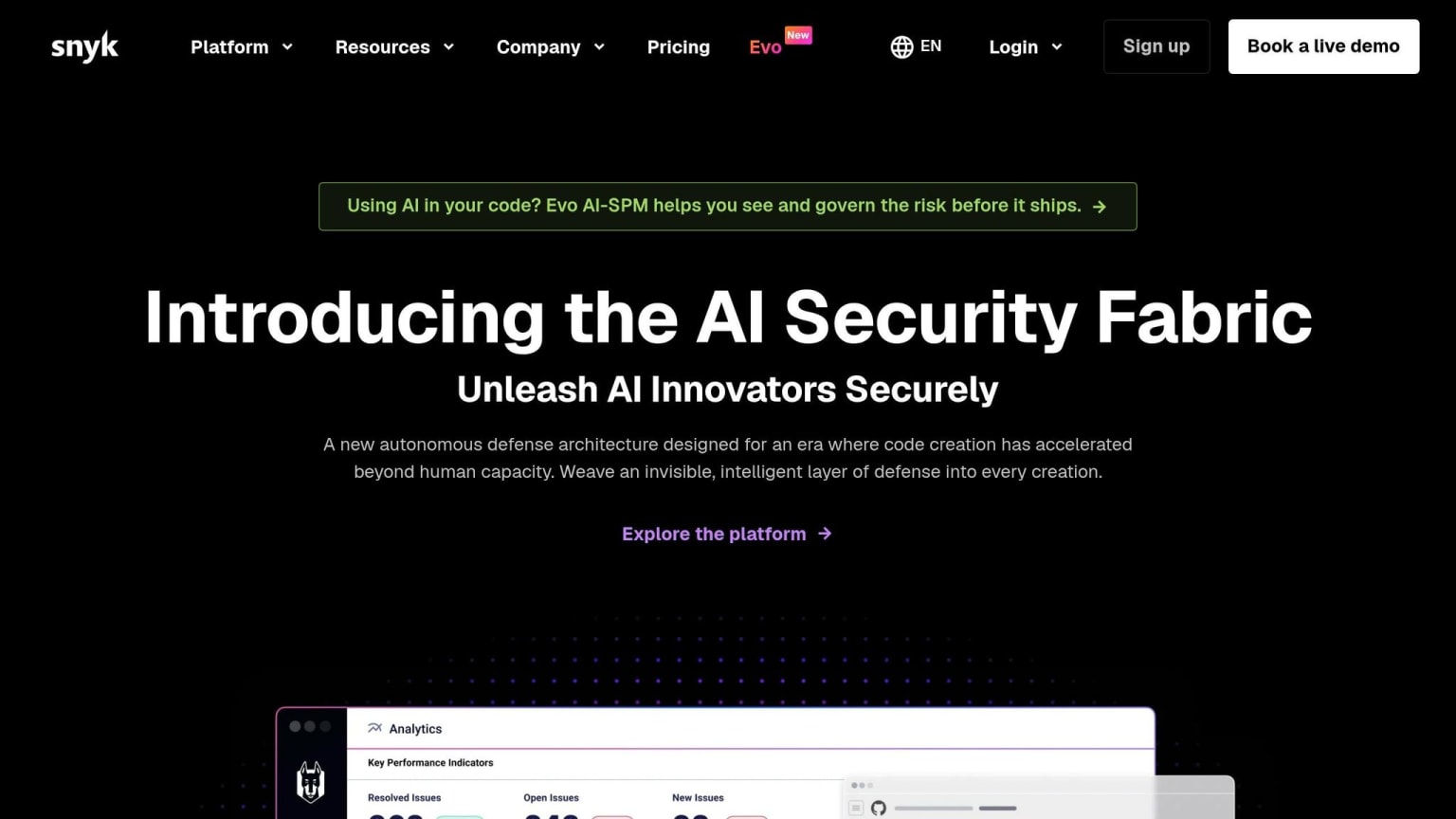
Once you've completed integration testing, it's time to focus on securing your code and its dependencies. Tools like Snyk and Semgrep have become staples in DevSecOps workflows, helping developers identify vulnerabilities early in the process. These tools fit neatly into existing workflows, strengthening any security strategy.
Snyk offers a comprehensive security platform that covers SAST, dependency scanning, container security, and Infrastructure as Code (IaC). One standout feature is its ability to automatically create fix pull requests by monitoring over 15 million open-source packages . A 2025 Snyk case study highlighted Komatsu's success, reporting a 62% reduction in mean time to fix vulnerabilities after adopting Snyk .
"Compared to our previous tooling, Snyk's scanning is 2x faster and much more integrated to their tooling and processes." - Eric Cheng, Digital Solutions Architect, Komatsu
Beyond reducing risk, tools like Snyk can significantly improve team productivity.
Semgrep, on the other hand, is a programmable static analysis tool that uses customizable YAML rules. This makes it perfect for enforcing internal coding standards and identifying vulnerabilities unique to your codebase. With a median CI scan time of just 10 seconds , it's quick without sacrificing accuracy. One of its standout features is reachability analysis, which ensures a flagged function is actually called, cutting down false positives on critical issues by up to 98% .
Both tools integrate smoothly with popular IDEs and CI/CD systems, providing real-time feedback during coding and builds. A practical tip: configure your CI/CD pipeline to fail builds only on Critical or High severity findings. This keeps security in check without slowing development unnecessarily .
Here’s a side-by-side comparison of their strengths:
| Feature | Snyk | Semgrep |
|---|---|---|
| Primary Strength | SCA with auto-fix PRs | Custom rule authoring |
| Scan Speed | 30–90 seconds | 10–30 seconds |
| Reachability | Limited (Java, JS, TS) | Yes (Supply Chain module) |
| Custom Rules | Primarily Enterprise tier | Available to all users |
| Languages Supported | 20+ | 30+ |
For advanced teams, using both tools together can be a game-changer. Snyk provides broad coverage and automated fixes, while Semgrep delivers fast, customizable checks tailored to your specific needs. With free tiers available, they’re accessible for teams of all sizes.
14. Collaboration and Knowledge Sharing (daily.dev Squads, Code Review, Team Wikis)
While development tools play a big role in boosting productivity, teamwork and effective knowledge sharing are just as important for long-term success. Security tools help protect your code, but without clear communication, even the best tools can't prevent confusion or inefficiency. This is especially true for distributed teams, where casual hallway chats aren't an option, and structured collaboration becomes a necessity.
daily.dev Squads offer a solution by creating focused communities centered on specific technologies. For instance, the NextJS Squad boasts over 33,325 members, while the Node.js developers Squad has grown to around 40,524 members . These aren't just static forums - they're dynamic spaces where developers swap articles, tackle real-world challenges, and keep up with niche trends. This kind of active participation also feeds into better practices for code reviews.
Speaking of code reviews, workflows in this area are evolving quickly. With AI-generated code introducing 1.7 times more issues per pull request compared to human-written code , thoughtful peer reviews are more crucial than ever. Many engineering teams are shifting away from a strict gatekeeping approach and adopting a mentoring mindset.
"The goal is building engineers who understand the system deeply enough that reviews become a formality, not a bottleneck." - The Serious CTO
To make this shift work, keep pull requests small and manageable, pair them with automated tests, and aim for short-lived branches. Tools from daily.dev can help streamline this process by auto-generating PR descriptions and standup notes directly from your git history , cutting down on tedious manual tasks that often slow down distributed teams.
Beyond code reviews, knowledge sharing is key to keeping teams aligned and productive. Practices like inner sourcing - borrowing open-source contribution methods for internal use - can break down knowledge silos. Combine this with AI-powered internal wikis, and teams can easily access meeting notes and past decisions without wading through outdated or scattered documentation. This approach ensures that everyone stays on the same page, no matter where they’re working.
15. Local Dev Environments and Dev Containers (VS Code Dev Containers, GitHub Codespaces)
Inconsistent development environments can be a serious headache for software teams. The infamous "works on my machine" issue doesn’t just slow down individual developers - it disrupts onboarding, breaks CI pipelines, and introduces subtle bugs that can take forever to track down. Tools like VS Code Dev Containers and GitHub Codespaces address these problems by turning your development environment into code. This approach standardizes setups and eliminates configuration errors.
These tools rely on a single devcontainer.json file stored in your repository. This file specifies everything you need: the base operating system, language runtimes, tools, and even editor extensions. When a developer opens the project, Docker creates an isolated container based on this configuration. The result? A consistent environment for everyone on the team.
The popularity of this approach is clear - VS Code Dev Containers has been installed over 39 million times as of May 2026 . Onboarding time that used to take two days of manual setup can now be reduced to just 10 minutes . GitHub Codespaces builds on this concept by hosting the environment in the cloud, accessible from any browser or IDE. Clint Chester from Synergy describes it perfectly: "What used to be a 15-step process is just one step: open Codespaces and you're off and running" . Similarly, Keith Annette from KPMG UK highlights how Codespaces removes the hassle of error-prone setup tasks .
The devcontainer.json file also supports lifecycle hooks, which automate repetitive tasks like database initialization or restarting services. This further reduces manual effort. For macOS and Windows users, it’s recommended to use "Clone Repository in Container Volume" instead of standard bind mounts. Why? File I/O operations, such as running npm install, can be 5–10 times slower with bind mounts . Additionally, always pin your base images (e.g., node:22-bookworm instead of node:latest) to avoid unexpected issues caused by upstream updates .
For individuals, GitHub Codespaces offers a free tier with 60 hours per month on a 2-core machine with 15 GB of storage . This makes it an accessible option for personal projects or small-scale development needs.
Comparison Table
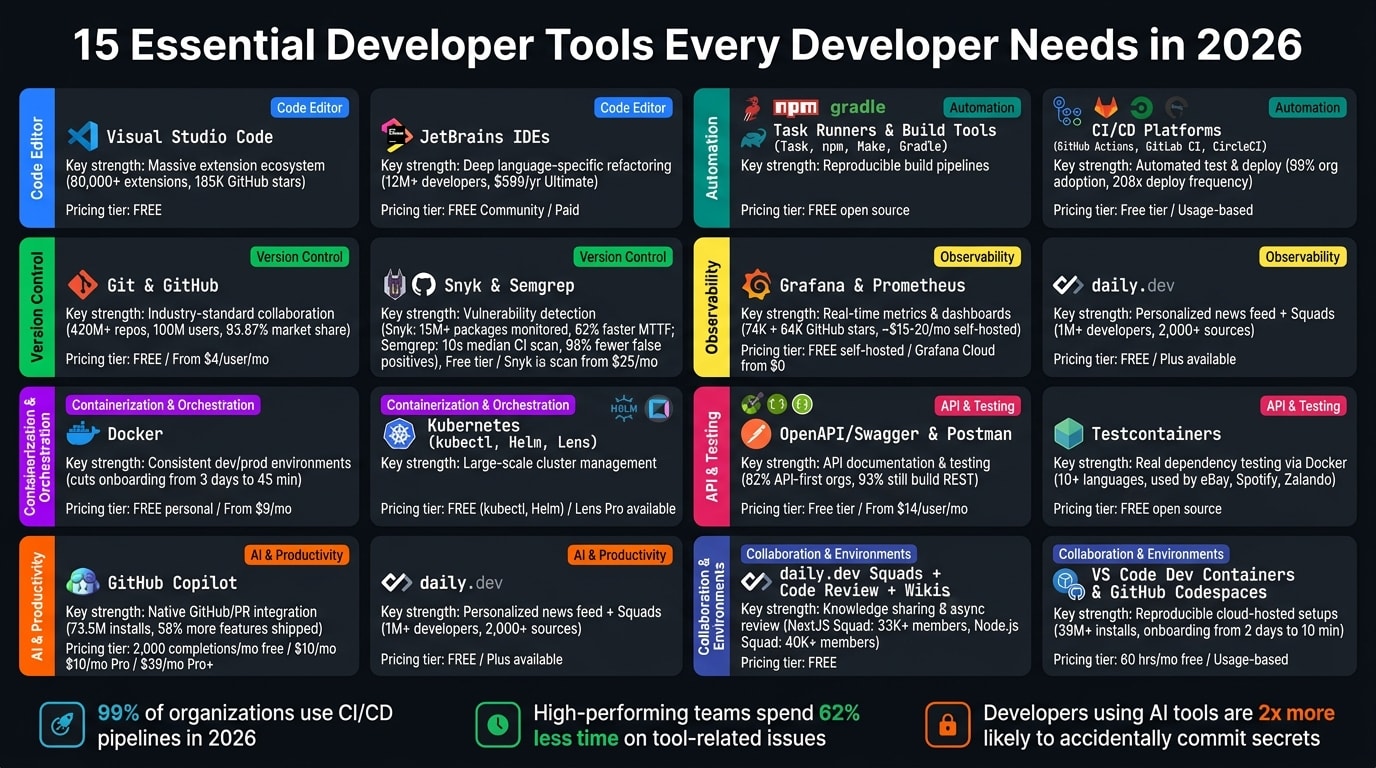
With 15 tools covered, it’s helpful to see them side by side to decide where to invest your time and money. Below is a table grouping each tool by category, highlighting its key strength, and showing pricing in USD.
| Tool | Category | Primary Strength | Free Tier | Paid Plans (USD) |
|---|---|---|---|---|
| Visual Studio Code | Code Editor | Massive extension ecosystem | Free | Free |
| JetBrains IDEs | Full-Scale IDE | Deep language-specific refactoring | Free (Community) | Subscription |
| Git & GitHub | Version Control | Industry-standard collaboration | Free (public repos) | From $4/user/mo |
| Docker | Containerization | Consistent dev/prod environments | Free (personal) | From $9/mo |
| Kubernetes (kubectl, Helm, Lens) | Container Orchestration | Large-scale cluster management | Free (kubectl, Helm) | Lens Pro available |
| daily.dev | Developer Network | Personalized news feed + Squads | Free | Free |
| GitHub Copilot | AI Autocomplete | Native GitHub/PR integration | 2,000 completions/mo | $10/mo (Pro), $39/mo (Pro+) |
| Task Runners & Build Tools | Automation | Reproducible build pipelines | Free (open source) | Free |
| CI/CD Platforms | Automation | Automated test & deploy workflows | Free tier available | Usage-based |
| Grafana & Prometheus | Observability | Real-time metrics & dashboards | Free (self-hosted) | Grafana Cloud from $0 |
| OpenAPI/Swagger & Postman | API Design & Testing | API documentation & manual testing | Free tier | Postman from $14/user/mo |
| Testcontainers | Integration Testing | Real dependency testing via Docker | Free (open source) | Free |
| Snyk & Semgrep | Security Scanning | Vulnerability & secret leak detection | Free tier | Snyk from $25/mo |
| daily.dev Squads + Code Review + Wikis | Collaboration | Knowledge sharing & async review | Free | Free |
| VS Code Dev Containers & GitHub Codespaces | Dev Environments | Reproducible, cloud-hosted setups | 60 hrs/mo (Codespaces) | Usage-based |
This table gives a clear snapshot of the tools, but the trade-offs below can help guide your choices further.
Key Observations and Trade-Offs
The tools fall into two distinct pricing categories: zero-cost options and higher-cost, advanced solutions. Free tools like VS Code, Git, Testcontainers, and Task Runners provide a solid foundation, making them ideal for smaller teams or individual developers. On the other hand, AI-powered tools, such as GitHub Copilot, tend to increase in cost for power users. For example, while its Pro tier starts at $10/month, actual usage often pushes the total closer to $15 due to flex allotments . Additionally, workflows involving multiple agents can consume tokens faster, making the Pro+ tier ($39/month) a more realistic choice for larger teams .
There’s also a balance to consider between speed and depth. VS Code excels in speed and flexibility with its vast extension ecosystem, while JetBrains IDEs shine in comprehensive, built-in refactoring for large-scale projects. Similarly, GitHub Copilot offers seamless cross-IDE integration, but other tools may offer more specialized in-editor features.
"The honest pricing of an AI coding assistant in 2026 is either $0 or $60, with very little in between worth paying for." - Alex Chen, Technology Journalist
Security and Observability: A Critical Focus
For security and monitoring, tools like Snyk, Semgrep, Grafana, and Prometheus stand out with robust free tiers, making them accessible to smaller teams. However, as AI tools become more integrated into workflows, they bring new risks. By 2026, developers using AI autocomplete tools are reportedly twice as likely to accidentally commit sensitive information like API keys and credentials . This makes investing in strong security solutions an essential part of any modern development stack.
These trade-offs and insights underline the importance of aligning tool choices with your team’s specific needs and growth plans. Whether you’re optimizing for cost, speed, or advanced functionality, this comparison helps clarify where to focus your resources.
Conclusion
After diving into the strengths of each tool, one thing stands out: a well-chosen stack can transform the way teams develop software. The 15 tools discussed here address the most pressing challenges in modern development, from writing and reviewing code with VS Code and GitHub Copilot, to ensuring smooth deployments with Docker, Kubernetes, and CI/CD pipelines, to bolstering security with Snyk and Semgrep. Each tool plays a specific role in solving real-world development headaches.
Research shows that high-performing engineering teams spend 62% less time wrestling with tool-related issues compared to their peers. That time savings translates into faster shipping, better collaboration, and higher-quality code - all of which give teams a noticeable edge.
"In 2026, the question isn't whether AI-assisted development tools are worth adopting - it's whether your team can afford to compete without them." - Sarah Chen, VP of Engineering
Take a close look at your current workflow. Identify areas where friction slows your team down, whether it's sluggish build times, manual testing bottlenecks, or scattered team knowledge. Prioritize tools that integrate smoothly into your existing processes rather than those that add complexity with unnecessary features.
Ultimately, the best stack is one your team uses consistently. Be intentional about building it, track its impact on your workflow, and reassess it regularly as the development landscape evolves. By integrating these tools thoughtfully, you can streamline your processes and maintain a strong competitive edge.
FAQs
Which 5 tools should I start with first?
Here’s a quick look at five must-have tools for developers in 2026:
Google Antigravity 2.0: Perfect for streamlining workflows, this tool makes deploying and managing agents a breeze, especially for automation tasks.
Cursor IDE: A coding environment with AI built right in, designed to make programming smarter and more efficient.
Gordon: Say goodbye to the hassle of container setup and troubleshooting - this tool takes care of it for you.
Chrome DevTools for Agents: Specifically tailored for AI workflows, this version of Chrome DevTools helps with optimization and debugging.
Debuggle: Your go-to for error analysis, offering AI-driven support to make debugging less of a headache.
These tools are shaping the future of development, providing everything you need to tackle modern challenges with confidence.
Do I need both VS Code and a JetBrains IDE?
It all comes down to what you need for your development work. VS Code is a free, lightweight tool that's highly customizable, making it a great choice for web development and smaller projects. On the other hand, JetBrains IDEs are more demanding on system resources but provide advanced features like in-depth language support and powerful refactoring tools, which are perfect for tackling complex or large-scale projects. Some developers use VS Code for everyday tasks and switch to JetBrains IDEs when working on specialized or enterprise-level needs, but it's not essential to have both.
How can I prevent AI-generated code from introducing bugs?
To reduce bugs in AI-generated code, it's essential to emphasize thorough testing and review. Start by conducting tests in real-world environments to uncover integration problems. Use automated regression testing to spot any unintended side effects, and carefully examine edge cases to identify missed logic or potential security vulnerabilities. A combination of automated testing, manual code reviews, and quality checkpoints can help ensure dependable outcomes. Adopting a "trust but verify" mindset is key to catching errors that static analysis tools might overlook.