Move past tutorials by building projects, contributing to open source, practicing algorithm challenges, mastering Git, and reading docs.
Stuck after tutorials? You're not alone. Tutorials teach you to follow along, but real coding requires solving problems independently. This guide helps you transition from passive learning to active problem-solving with actionable steps:
- Build Real Projects: Start with projects where you know 60–70% of the skills, leaving room to learn by doing. Focus on creating something useful to stay motivated.
- Contribute to Open Source: Find beginner-friendly repositories on GitHub. Start small, like fixing bugs or improving documentation, to learn collaboration and code standards.
- Tackle Coding Challenges: Use platforms like LeetCode or HackerRank to practice algorithms and data structures. Gradually build speed and accuracy with timed drills.
- Master Tools Like Git: Learn essential tools like Git for version control and the terminal for efficiency. Use habits like atomic commits and clear commit messages.
- Use Documentation and Books: Read documentation strategically. Combine this with technical books to deepen your understanding of complex concepts.
- Shift to Active Learning: For every hour of tutorials, spend two hours building something from scratch. Focus on solving real problems, even if it’s messy at first.
Key takeaway: Real learning happens when you struggle, debug, and build independently. Start small, stay consistent, and treat every challenge as a chance to grow.
Building Skills Through Projects
Creating real projects is the key to breaking free from endless tutorials. Tutorials are great for learning the basics, but they rarely push you to actively solve problems. Projects, on the other hand, require decision-making, troubleshooting, and critical thinking - all of which are crucial for building long-term skills. As Muhammad Zaki puts it:
"Tutorials can teach syntax. Projects teach engineering."
Choosing the Right Project
The key to success lies in picking the right project. Stay away from ideas that are either too simple or overly ambitious. A good rule of thumb is the 60–70% rule: choose a project where you already know about 60–70% of what's needed, leaving the rest as a challenge to figure out .
Even better, build something you’d actually use. When a project has personal value, you're much more likely to stay motivated and see it through. Developer Klement Gunndu explains it well:
"If you would actually use it, you will actually finish it."
Skip generic clones like basic to-do apps or standard social media platforms - unless you’re adding unique, advanced features that push your skills. Instead, focus on 2–3 production-grade projects that require deeper problem-solving, like managing API rate limits, handling complex deployments, or scaling state management . Research even shows that retention rates for building original projects can hit 70–80%, compared to just 10–20% from passively watching tutorials .
Breaking Work Into Smaller Tasks
Start by drafting a README for your project. Clearly define its purpose, audience, and the tech stack you’ll use. This keeps you focused and prevents over-complicating things .
Next, aim for the smallest working version possible - a basic MVP (Minimum Viable Product). For example, skip the database and authentication at first; just focus on getting the core logic up and running. Once that’s done, expand in small, deliberate steps. Use weekly sprints to structure your progress: one week for API design, another for testing, the next for persistence, and so on .
Also, make an "out of scope" list. Write down features you won’t include at the start, like "no user accounts" or "no cloud backups." This helps you avoid scope creep, which is one of the main reasons projects that could be done in 2–3 months often drag on for half a year .
With your MVP in hand, you’re ready to iterate and refine.
Iterating and Learning From Feedback
Your first version will likely be messy - and that’s okay. The real learning begins as you iterate. Each pass helps you spot inefficiencies, like repetitive logic that needs to be turned into a function or unclear variable names that make debugging harder.
Take junior developer Alan Toro Holguin’s experience as an example. In May 2026, he built and launched KhozAI, a guitar practice assistant, in just one week. By focusing on himself as the target user, he worked through challenges like Supabase integrations, OpenAI API calls, and deploying with Vercel - none of which were covered in tutorials. His biggest takeaway?
"Shipping beats perfection" .
Deploy your project early using tools like Vercel or Fly.io. A live environment reveals issues - like managing environment variables or debugging in production - that tutorials just don’t prepare you for . Feedback from real-world use is invaluable and will guide your next steps.
Contributing to Open-Source Projects
After completing personal coding projects, stepping into open-source contributions can take your skills to the next level. It introduces you to collaborative workflows, structured code reviews, and established guidelines, all while pushing you to meet high standards set by maintainers. As Afgan Abbas, a software engineer, aptly states:
"Most developers spend months applying for jobs... wondering how to build 'real experience'. Meanwhile, thousands of open-source projects are sitting on GitHub right now, with tasks already written out."
Finding Beginner-Friendly Repositories
If you're new to open source, start by searching for the good first issue label on GitHub. This tag highlights tasks designed for beginners . Look for repositories with detailed READMEs, a CONTRIBUTING.md file, regular activity, and at least 100 stars to ensure they are active and welcoming.
There are also tools to make your search easier. Websites like Good First Issue (goodfirstissue.dev) and Help Wanted (helpwanted.dev) allow you to filter issues by programming language. Help Wanted even provides AI-generated summaries and rates task complexity on a 1–5 scale, giving you a clear idea of what to expect before diving in . To practice the fork–clone–edit–pull request workflow in a beginner-friendly environment, consider starting with the first-contributions repository on GitHub .
Submitting and Reviewing Pull Requests
Before jumping into coding, leave a comment on the issue to confirm you're working on it. This avoids duplicated efforts and ensures your solution aligns with the maintainers' expectations. When submitting a pull request, focus on one issue at a time. Be sure to include a clear explanation of the changes, why they were necessary, and how you tested them. Don’t forget to link your pull request to the issue it addresses (e.g., "Closes #123").
Code reviews can feel tough, but they are a powerful learning opportunity. Treat feedback as mentorship - respond courteously to every comment and make changes promptly. Staying engaged is crucial, especially since 58% of first-time open-source contributors stop after just one or two commits . Committing to the review process helps you grow as a developer.
Reading Established Codebases
You don’t need to grasp an entire codebase to contribute meaningfully. For example, in May 2026, backend developer Brian Oginga made a one-line CSS accessibility fix on the official Django website (djangoproject.com). Despite understanding only about 5% of the codebase, he successfully completed the task within a week through the Djangonaut Space mentorship program . His key takeaway:
"The code change is never the hard part. Understanding a new codebase - its file structure, its conventions, its build tools - that is where time goes."
Start small by tracing a single workflow, like a login process or an API request, from beginning to end. Test files can be especially helpful - they act as documentation, showing how functions are intended to work and highlighting edge cases the authors cared about . These steps not only make contributions manageable but also prepare you for future coding challenges.
Improving Problem-Solving With Coding Challenges
Coding challenges push you to break down problems without relying on step-by-step instructions. As Aman Vaths, Founder & CTO of Nadcab Labs, explains:
"A coding challenge is not a test of your memory. It is a test of your ability to break a problem into logical steps."
This mindset shift - from memorizing syntax to logically deconstructing problems - is what differentiates developers who stagnate from those who continually improve. It lays the groundwork for mastering algorithms and data structures through deliberate practice.
Practicing Algorithms and Data Structures
Once you’ve embraced independent problem-solving, focused algorithm practice becomes essential. The best way to develop these skills is through a structured approach rather than random exercises. Begin with basics like input/output and loops in your first week. Gradually progress to strings and arrays over the next three weeks, and tackle recursion and data structures by the end of your second month. A practical goal might be solving 40–50 problems in the first month, followed by 30–40 problems in the second month centered on arrays and strings .
To build persistence, challenge yourself to work through problems for at least 20 minutes before seeking help . Start with pseudocode to map out your logic, then move on to writing functional code. Don’t worry about making it perfect right away. As developer Sai Shankar puts it: "Understanding comes before elegance. Always. Developers who insist on clean code from day one write almost nothing."
Using Timed Drills to Build Speed
Once you’re solving problems consistently, add a timer to your practice sessions. Timed drills help you develop speed and efficiency under pressure - skills that are crucial for technical interviews, where both speed and accuracy are evaluated . Many coding platforms assess submissions based on a combination of correctness, speed, and code quality . Training all three simultaneously mirrors real-world expectations.
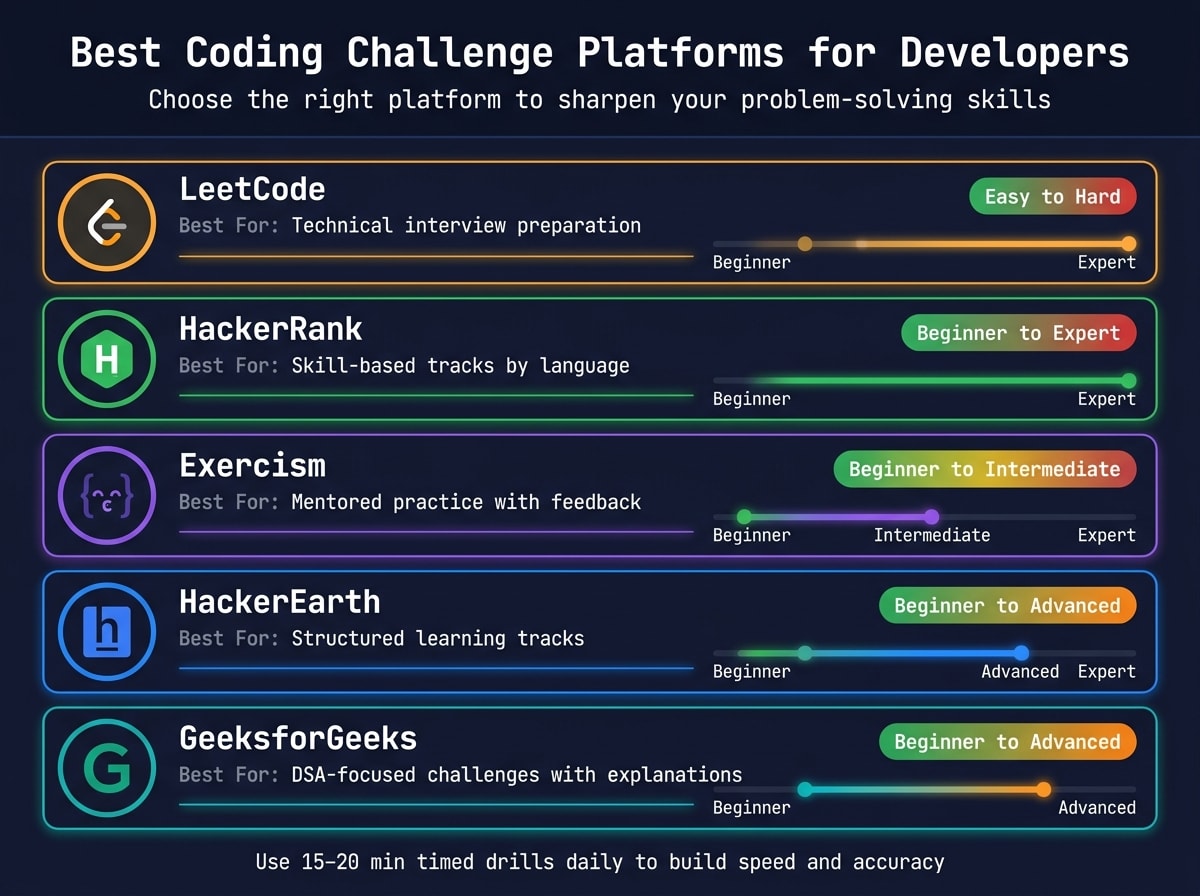
Here’s a quick comparison of platforms that can help with timed practice:
| Platform | Best For | Difficulty |
|---|---|---|
| LeetCode | Technical interview preparation | Easy to Hard |
| HackerRank | Skill-based tracks by language | Beginner to Expert |
| Exercism | Mentored practice with feedback | Beginner to Intermediate |
| HackerEarth | Structured learning tracks | Beginner to Advanced |
| GeeksforGeeks | DSA-focused challenges with explanations | Beginner to Advanced |
To maintain momentum, end each session by noting exactly where to pick up next time. Keeping your file open and ready reduces decision fatigue and makes it easier to dive back in . Over time, these timed drills improve both speed and accuracy, better preparing you for larger projects.
Balancing Challenges With Project Work
While coding challenges sharpen your algorithmic thinking, project work helps you apply those skills in practical scenarios. Both are essential, so it’s important to balance them. Try using coding challenges as a quick 15–20 minute warm-up before diving into your project work . This approach keeps your problem-solving sharp without overshadowing portfolio-building tasks.
Backend engineer Sourav Bandyopadhyay demonstrated this balance in March 2026 by dedicating one hour daily to DSA and another hour to system design. After 31 days, he noticed significant improvements during code reviews, such as identifying complex issues like non-idempotent retry logic and linearizability requirements - problems he had overlooked before . His success wasn’t about sheer volume but consistency. As Sai Shankar emphasizes: "The developers who grow the fastest are not the most talented. They are the most consistent."
Using Documentation, Books, and Forums
After sharpening your skills with coding challenges for beginners and hands-on projects, it’s time to expand your learning toolkit. Resources like documentation, technical books, and developer forums can fill in the gaps left by tutorials, helping you not only learn how tools work but also understand the reasoning behind them.
Reading Documentation Effectively
Many developers approach documentation by scrolling from top to bottom, hunting for what they need. But seasoned developers take a more strategic route: they scan for structure first, then dive into the most relevant sections .
Try a multi-pass approach to make the most of your time. Start with a quick overview - spend a few minutes understanding the module’s purpose, dependencies, and public API. Next, focus on diagrams and key algorithms. Finally, zero in on implementation details and edge cases . This strategy keeps you focused on what matters and prevents getting bogged down by unnecessary details.
"The developer who deeply understands the system makes better decisions about what to build, where to build it, and what not to build." - CodeIntelligently
Another tip? Read the source code itself. For typed languages, function signatures and types can often give you most of the context you need without reading every line . If the documentation feels overwhelming, tools powered by AI can create quick outlines, helping you identify which sections deserve your attention . Once you’ve got a handle on documentation, dive deeper with technical books.
Using Technical Books for Deeper Knowledge
While tutorials are great for quick wins, technical books provide a deeper understanding of complex concepts. Muhammad Usman, a WordPress developer, emphasizes:
"Building a habit of reading and understanding technical material is a must if you want a solid career as a programmer."
To get the most out of a book, read with a purpose. Start by asking a specific question you need answered - like, “Why is my code so hard to test?” Read until you’ve found the answer, then immediately apply what you’ve learned . This transforms reading from a passive activity into an active learning process.
When choosing books, prioritize those that focus on enduring principles rather than fleeting trends. Titles like Designing Data-Intensive Applications and Clean Code tackle ideas that remain relevant throughout your career . Even if you only gain small insights with each read, it’s still progress .
To reinforce what you’ve learned, engage with others in developer forums.
Participating in Forums and Developer Communities
Platforms like Stack Overflow and GitHub Discussions aren’t just about finding answers - they’re places to refine your thinking. Explaining your problem to others often uncovers hidden flaws in your logic .
To get the best help, craft clear and detailed questions. Include your code, full error messages, and a description of what you expected versus what actually happened . As Pete Lamonica, a moderator at freeCodeCamp, points out:
"Getting help takes effort. The more work you put into seeking help, the more likely you'll be to obtain the help you need."
Answering questions is just as valuable. Teaching others forces you to organize your thoughts and exposes areas where your understanding might be shaky. Over time, your contributions create a searchable archive of solutions you can reference later .
Working Like a Professional Developer
While participating in forums and online communities sharpens your thinking, what truly sets professional developers apart are their daily habits and the tools they use. By adopting these practices early - even before landing your first job - you’ll make the transition to professional work much smoother. This includes learning how to deal with the stress that often comes with high-pressure coding environments.
Mastering Tools Like Git and the Terminal
Git is one tool you simply can’t ignore. Think of it as a time machine for your code - it lets you track changes, revisit earlier versions, and fix mistakes without overwriting your progress . The basics are straightforward: use git status to check for changes, git add to stage files, and git commit to save your updates .
To stand out, focus on a few key habits. Commit atomically - each commit should represent one logical change. This makes debugging and reverting changes far easier . Follow the 50/72 rule for commit messages: keep the subject line under 50 characters and wrap any additional details at 72 characters . Another critical step? Set up a .gitignore file right from the start to exclude sensitive files like .env or bulky folders like node_modules from your repository .
When it comes to the terminal, small tweaks can make a big difference. Configure Git aliases (e.g., git config --global alias.co checkout) to save time, and always double-check your staged changes with git diff --staged before committing. These habits will boost both your speed and confidence .
Building a Consistent Coding Routine
Once you’ve got the tools down, it’s time to focus on building a solid routine.
Consistency is more powerful than intensity. Even a focused 30-minute daily practice adds up to over 180 hours of coding in a year . Treat this time as a non-negotiable appointment, not something you squeeze in when you feel like it.
"Consistency is not exciting. It is repetitive. Quiet. Sometimes boring. But it is the only thing that works." - Ayman Atif
End each session by jotting down a one-line plan for what you’ll tackle next. Leave your editor open on the exact file you’ll need. This small habit eliminates decision fatigue and helps you dive back into the flow quickly . Pair this with a 2-minute dev log: record how long you worked and write a one-line summary of what you accomplished. Over time, this creates a useful record of your progress and helps you identify patterns in your learning .
Shifting From Passive to Active Learning
Once you’ve gained some experience, it’s time to move from passive learning - like watching tutorials - to active problem-solving. Tutorials can feel productive, but they often create a false sense of mastery. You might understand the material while watching, but as soon as you face a blank editor, that knowledge can vanish. Ajay Mudettula explains it best:
"Reading about swimming is not swimming. Your brain stores knowledge when you struggle, debug, and solve problems, not when you watch videos."
The solution? Use a simple learning ratio: for every hour spent watching a tutorial, dedicate at least two hours to building something on your own . Skip step-by-step guides. Instead, start with a blank file and try to recreate features from memory, relying only on documentation. The struggle is where real learning happens.
Another great exercise is to automate a repetitive task in your own life - like formatting a spreadsheet or renaming files in bulk - using a simple script . It doesn’t have to be perfect; it just needs to solve a real problem. That’s exactly what professional developers do every day.
"Professional developers read documentation, build from requirements, and learn on demand." - Esimit Karlgusta
Conclusion: Developing a Developer Mindset
Shifting from tutorials to real-world development isn’t about cramming in more knowledge - it’s about changing how you approach learning. Tutorials focus on recognition, but actual development demands recall: creating solutions from the ground up. The only way to bridge this gap is by building, breaking, and fixing things on your own.
Mastery doesn’t come from avoiding challenges; it grows through working through them.
"Being a great developer isn't about knowing everything. It is about being comfortable with knowing nothing, and having the confidence that you can figure it out anyway." - Ujjwal Sharma, Founder, StackByUjjwal
The habits outlined in this guide - shipping projects, analyzing others' code, contributing to open-source, and debugging with purpose - replace passive learning with active problem-solving. It’s like Ruhid Ibadli’s insight: "The developer who has shipped 5 ugly projects has more real skill than the developer who has completed 50 polished tutorials." Real skills come from doing, not just watching.
One mindset shift to embrace is just-in-time learning - focus on learning tools and concepts needed for your current project, rather than stockpiling knowledge for "someday" . By diving into what’s relevant now and tackling bugs head-on, you turn frustration into progress. Through consistent practice, you build a mindset that transforms every challenge into an opportunity for growth.
FAQs
How do I pick a project that’s challenging but not overwhelming?
Choosing a project with a clear, focused scope is key to success. Pick something that addresses a real problem you care about - maybe automating a repetitive task or keeping track of personal data. Try using the "thin vertical slice" method: concentrate on a single user, one specific workflow, and one clear output. Be honest about your skills and the time you can commit. Set clear, achievable goals, and stay vigilant against scope creep to ensure the project stays manageable and satisfying.
What’s the fastest way to make my first open-source contribution?
If you're new to contributing to open source, it's a good idea to begin with beginner-friendly projects. Look for issues labeled "good first issue" or similar tags - these are typically designed to help newcomers get started.
Before diving in, take some time to read the project's CONTRIBUTING.md and README.md files. These documents usually outline the guidelines for contributing and provide essential details about the project. Once you've found an issue you'd like to work on, leave a comment on it to let the maintainers know you're interested.
From there, fork the repository, clone it to your local machine, and test it to ensure everything is working as expected. After making your changes, submit a pull request with a clear and concise description of what you've done. Be prepared to receive feedback and make adjustments if needed - open communication and tackling manageable tasks are key to a positive experience.
How should I split my time between projects and coding challenges?
Finding the right balance is key: aim to spend 60-70% of your time on projects that help you develop practical skills and 30-40% on coding challenges to sharpen your problem-solving abilities. Begin with smaller, meaningful projects and set aside consistent time for challenges. For instance, if you dedicate an hour each day to coding, you might spend 40 minutes on projects and 20 minutes on challenges, tweaking this ratio based on your personal goals and level of experience.